3D Objects Geometric Design Pattern – A Practical Guide to Integration and Workflow
Working with 3D objects has moved far beyond niche animation studios and engineering firms. Today, designers, educators, marketers, and small business owners routinely incorporate 3D geometric design patterns into presentations, product mockups, learning materials, and brand assets. Understanding how to use these patterns effectively—not just as decoration but as functional components of a workflow—can save time, reduce friction, and produce more consistent results.
This article covers what 3D objects geometric design patterns are, how they fit into real projects, and how you can implement them without unnecessary complexity.
What Is a 3D Objects Geometric Design Pattern?
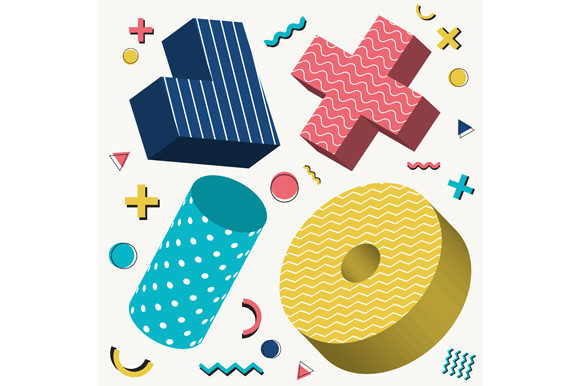
A 3D objects geometric design pattern is a repeated or structured arrangement of three-dimensional shapes—cubes, spheres, pyramids, toruses, or more complex polyhedra—used to create visual rhythm, texture, or structure within a composition. Unlike a flat geometric pattern, these designs maintain depth, lighting, and perspective, giving them a tangible quality even when rendered on a screen.
These patterns appear in product packaging, website backgrounds, UI elements, architectural visualizations, apparel design, and motion graphics. They are not random decorations. When used with intention, they serve as organizational tools: they guide the eye, establish visual hierarchy, and reinforce a brand or message without relying on text.
The core idea is repetition with variation. A pattern might use the same 3D object rotated at different angles, scaled across a grid, or arranged along a path. The geometric structure provides predictability, while the 3D rendering adds depth and interest.
Where 3D Geometric Patterns Fit in a Workflow
One common mistake is treating these patterns as an afterthought—something to add at the end of a project to fill empty space. In practice, the most effective use happens when the pattern is considered early in the planning phase, whether you are designing a website, a product label, or an educational infographic.
Before the Project: Planning and Asset Preparation
Before you begin modelling or rendering, clarify the pattern's role. Ask yourself: Is this pattern a background element, a structural grid, or a repeating motif that carries meaning? The answer shapes your approach.
- Define constraints. Decide on the base geometry. Will you use a single object type or a combination? Simple shapes like hexagons or cubes work well for backgrounds because they scale cleanly. More complex shapes suit hero sections or focal points.
- Establish rules for repetition. A geometric pattern relies on a grid, spiral, radial arrangement, or random distribution. Document the spacing, rotation increments, and scale limits before you build. This prevents endless tweaking later.
- Prepare your assets. If you are using software like Blender, Cinema 4D, or even browser-based tools, create a master object for each shape. Apply materials and lighting in a controlled scene so the pattern remains consistent when exported.
During the Project: Integration with Other Elements
Once the pattern is built, it rarely stands alone. It interacts with text, imagery, colour schemes, and user interface elements. The key is to treat the pattern as a structural layer, not a distraction.
- Use the pattern to create depth. In a website header, a repeating 3D geometric pattern with subtle depth of field can push the main headline forward. This works because the brain interprets the pattern as being behind or around the focal content.
- Match material properties to context. A matte, low-contrast pattern suits a professional report. A glossy, high-contrast pattern fits a gaming interface or fashion brand. Consistency between the pattern and the surrounding design language matters more than the pattern itself.
- Align with existing grids. If your layout uses a 12-column grid, align the pattern's repetition to that grid. Misalignment creates visual noise and reduces readability, especially on screens.
After the Project: Quality Control and Adaptability
Even the best-designed pattern needs testing in context. Render or export the pattern at multiple sizes and on different devices or print formats. Check for moiré effects in digital displays, and ensure the pattern does not overpower the main content.
- Test across outputs. A pattern that looks crisp on a 27-inch monitor may turn into a busy mess on a mobile screen. Scale the repetition interval or reduce object complexity for smaller viewports.
- Create variations. Build two or three versions of the pattern: a dense version for close-ups or hero sections, a sparse version for backgrounds, and a simplified version for low-resolution contexts.
- Document your pattern settings. Save the scene file, material presets, and arrangement parameters. Six months later, when you need to update the pattern, having those settings documented saves hours of reverse engineering.
How 3D Geometric Patterns Interact with Tools, Methods, and Decisions
No design pattern exists in isolation. Its effectiveness depends on how it fits with the tools you use, the people you collaborate with, and the decisions you make about format and delivery.
Software and Platforms
Most professional 3D software offers built-in pattern tools, array modifiers, or particle systems. Blender's array modifier, for instance, lets you repeat an object along a curve or grid while preserving individual transformations. Cinema 4D's cloner object gives you control over distribution, scale, and randomisation. For those who prefer lighter tools, browser-based platforms like Spline and Vectary allow real-time collaboration and direct export to web formats.
If you are a marketer or small business owner without 3D modelling experience, you can still use these patterns. Many stock asset sites offer pre-built 3D geometric patterns in formats compatible with Photoshop, After Effects, or web frameworks like Three.js. The key is to choose assets that allow editing of colour, depth, and repetition density.
Collaboration with Other Disciplines
A 3D geometric pattern often touches multiple roles in a project. A designer creates the base shape, a developer implements the rendering in code or a CMS, and a content writer ensures the pattern does not distract from the message. Clear communication about the pattern's purpose prevents mismatched expectations.
- Share the pattern as a concept mockup, not a final render, early in the process.
- Provide specifications: file format, recommended scaling, colour hex values, and any motion or animation parameters.
- If the pattern will be animated, agree on performance targets (e.g., 60 fps on mid-range devices) to avoid heavy renders that slow down the page.
Decision Points: When to Use and When to Skip
Not every project benefits from a 3D geometric pattern. They work well when you need to:
- Add texture without using photographic images.
- Create a sense of depth or space on a flat surface.
- Reinforce branding through consistent geometric language.
- Guide the user's eye through a layout using repeating visual cues.
They are less useful when the content is already dense, the screen is small, or the brand identity relies on minimalism. For those cases, a simpler flat pattern or solid colour serves better. The decision should always be grounded in what the audience needs, not what looks impressive.
Practical Implementation Tips for Consistent Results
Getting a 3D geometric design pattern to look good and function well in a real project comes down to a few repeatable practices.
Start with a Single Object and Iterate
Choose one geometric shape and experiment with repetition. A single icosahedron, when arranged in a grid with slight randomisation of rotation and scale, can produce a rich pattern without overwhelming the viewer. Once the base pattern works, introduce complexity through variations in material, colour, or object geometry.
Control Lighting and Shadows
A 3D pattern looks flat if the lighting is uniform. Use directional light with soft shadows to define the form. Keep the light source consistent across the whole pattern to maintain realism. In a digital interface, you may want to reduce shadow intensity to avoid visual noise, but removing shadows entirely defeats the purpose of using 3D objects in the first place.
Optimise for Performance
If the pattern will be used on a website or app, performance matters. Every 3D object with lighting, textures, and shadows adds to the rendering load. Reduce polygon count on each object, limit the number of unique materials, and use image-based lighting instead of real-time ray tracing where possible. Pre-render the pattern as a transparent PNG or WebP sequence if real-time rendering is not needed.
Maintain Consistency Across Media
When the same pattern appears on a website, a business card, and a product label, small inconsistencies become obvious. Build a master scene file that outputs the pattern at different aspect ratios and scales. Use a shared colour palette and material library so every version matches.
Long-Term Use and Scalability
A well-built 3D geometric design pattern can serve you for years if you treat it as a modular asset. Store the source files in a shared library with clear naming conventions. Include notes on intended usage contexts, recommended sizes, and any limitations (e.g., "not suitable for small screens below 360px width"). When a new project requires a similar pattern, you can duplicate the scene and adjust the parameters rather than starting from scratch.
If you are a freelancer or agency, consider offering clients a pattern system rather than a single deliverable. A system includes the pattern in multiple resolutions, colour variants, and both static and animated formats. This adds value and reduces the likelihood of revision requests later.
Finally, revisit your patterns periodically. Rendering technology, design trends, and display capabilities change. A pattern that looked modern three years ago may now appear dated. Small updates to lighting, material roughness, or object scale can extend its useful life without a full redesign.
Bringing It All Together
3D objects geometric design patterns are more than a visual trend. They are a practical tool for creating structured, depth-rich compositions that serve real project goals. The difference between a pattern that feels like decoration and one that adds value lies in how you plan it, how you integrate it with other elements, and how you prepare it for the context where it will be used.
Start with a clear purpose, build with repetition and variation in mind, and always test the pattern in its final environment. Whether you are a solo creator or part of a team, treating these patterns as part of your broader process—not as an isolated design task—will yield better results with less rework.