Choosing the Right Sale 3D Text Effect Design Template for Your Project
When you need to create promotional materials that stand out, few design assets draw attention quite like a Sale 3D Text Effect Design Template. These templates transform flat typography into dimensional, eye-catching headlines that convey urgency and excitement. But with many options available across different platforms and formats, understanding what makes a particular template work for your specific needs requires careful consideration. This article explores the practical aspects of working with sale-oriented 3D text effects, compares approaches, and helps you decide which route best fits your project.
What Defines a Sale 3D Text Effect Design Template
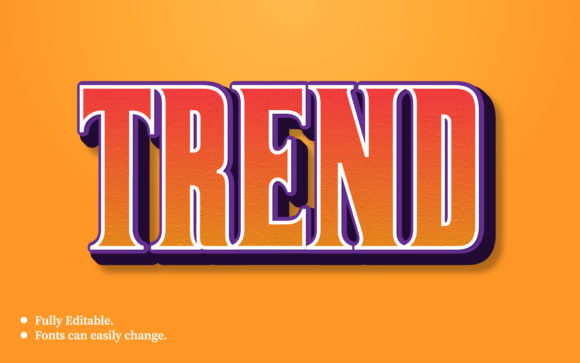
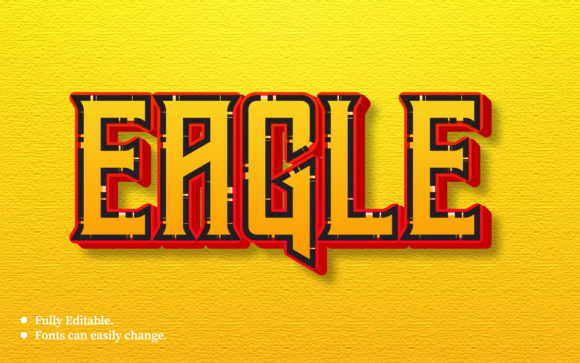
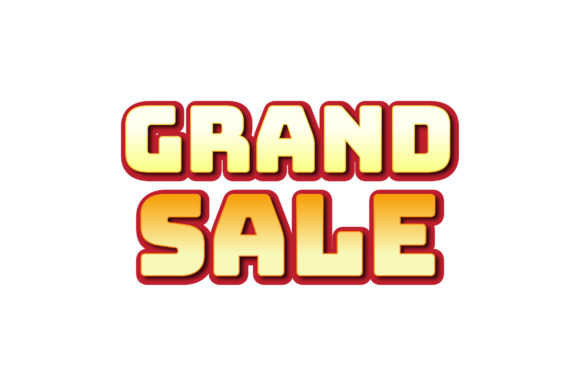
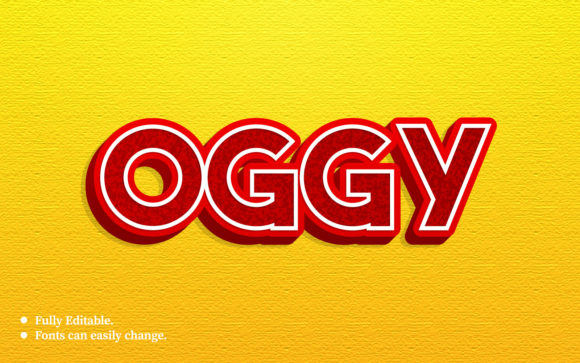
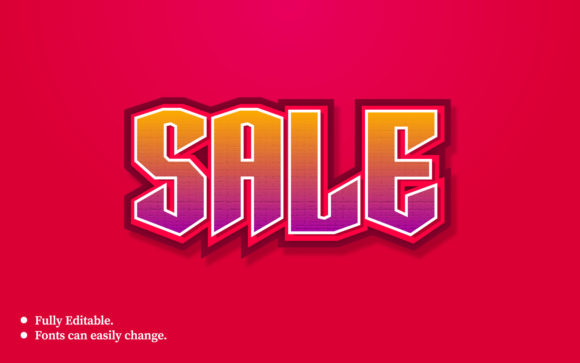
A Sale 3D Text Effect Design Template is a pre-built graphic resource that applies three-dimensional styling to promotional text. Unlike standard text layers, these templates include shading, extrusion, highlights, and perspective adjustments that give words like "Sale," "50% Off," or "Limited Time" a realistic or stylized volumetric appearance. What makes them distinct is their focus on call-to-action language for retail, ecommerce, or event marketing contexts.
These templates typically come as Adobe Photoshop PSD files, Illustrator vectors, or Canva-compatible assets. The key advantage lies in their editable nature: you replace placeholder text while retaining the 3D rendering and lighting effects. This saves hours of manual work compared to building 3D text from scratch in software like Blender or Cinema 4D.
Core Characteristics of Sale-Oriented 3D Text Templates
- Pre-applied lighting and shadowing that creates depth without additional rendering
- Editable text layers allowing you to change copy while preserving the 3D effect
- Color customization typically through smart objects or layer styles
- Sale-specific aesthetics such as bold sans-serif shapes, angled perspectives, and vibrant accent colors
- Resolution flexibility suitable for social media, print flyers, banners, or website headers
The distinct value of a dedicated sale template, as opposed to a generic 3D text effect, is the built-in understanding of promotional visual language. Designers have already optimized the thickness, angle, and color contrast for maximum readability and impact when announcing discounts or deals.
Comparing Approaches: Template vs. Custom 3D Text
When deciding between using a Sale 3D Text Effect Design Template and creating custom 3D text, several factors come into play. Neither approach is universally superior; the right choice depends on your timeline, skill level, and project requirements.
Speed and Efficiency
Templates are unmatched when speed matters. If you need a sale banner ready within hours, a pre-built template with editable layers lets you produce professional results almost immediately. Custom 3D text creation, even with modern tools, requires setting up scenes, adjusting materials, positioning cameras, and rendering—easily taking several hours to a full day depending on complexity.
For recurring promotions—weekly sales, seasonal campaigns, or flash deals—templates provide consistency. You can maintain a unified brand look across multiple events by using the same Sale 3D Text Effect Design Template with different colors or copy. Custom work gives you more originality but at the cost of repeated setup time.
Creative Control and Originality
The tradeoff for speed is flexibility. Templates impose constraints: you work within the existing perspective, lighting setup, and extrusion style. While many templates offer customizable colors and basic text replacement, significant structural changes require advanced skills in the original software. Custom 3D creation gives you complete control over every angle, material property, and environmental reflection.
If your brand requires a very specific visual identity or your sale announcement is part of a high-budget campaign, investing in custom 3D text may be worthwhile. For smaller businesses, freelancers, or teams handling multiple promotions, the efficiency of a well-chosen template often outweighs the limitations.
Software and Skill Requirements
Most Sale 3D Text Effect Design Template resources are built for Adobe Photoshop or Illustrator, with some available for vector editing tools like Affinity Designer or Canva. You need basic knowledge of layers, smart objects, and text editing. Templates with complex 3D geometry may require understanding of normal maps, bevel settings, or environment layers to adjust properly.
Custom 3D text in dedicated software requires familiarity with 3D modeling interfaces, rendering engines, and material editors. The learning curve is steeper, and hardware demands are higher. If you or your team lack 3D experience, templates reduce the barrier to entry considerably.
Evaluating Quality in Sale 3D Text Effect Templates
Not all templates deliver equal results. When assessing a Sale 3D Text Effect Design Template, consider several quality indicators that affect both the visual outcome and your editing experience.
Layer Organization and Documentation
Well-constructed templates use clearly named layers, grouped by function. Look for templates that separate background, lighting, text extrusions, and decorative elements. Proper organization prevents confusion when you need to modify specific parts without affecting others. Some templates include PDF instructions or video guides, which are especially helpful if you are new to layer-based editing.
Resolution and Scaling
Check whether the template is vector-based or raster. Vector templates scale infinitely without quality loss, making them suitable for both small social media graphics and large print banners. Raster templates specify a resolution—commonly 300 dpi for print or 72 dpi for screen. A raster Sale 3D Text Effect Design Template designed for print may look excellent in a flyer but could pixelate if stretched to billboard size. Always verify the intended use case before purchasing or downloading.
Customization Realism
Some templates use smart objects that let you change text and automatically update the 3D effect. Others require manual adjustment of layer styles after text changes, which can break the illusion if you are not careful. Read template descriptions or reviews to understand how customization works. The best templates maintain a consistent 3D appearance regardless of the word length or letter shapes you substitute.
Strengths and Tradeoffs of Using Sale 3D Text Effect Templates
Every design decision involves balancing benefits against drawbacks. Understanding these tradeoffs helps you use Sale 3D Text Effect Design Template resources effectively.
Strengths
- Professional polish quickly: Even novice designers can produce results that look like they came from a dedicated 3D artist.
- Cost-effective: A single template costs a fraction of hiring a designer or purchasing advanced 3D software licenses.
- Consistent branding: Using the same template family across campaigns creates recognizable visual language.
- Time savings: What would take hours of 3D rendering is reduced to minutes of text editing.
- Risk reduction: Pre-tested effects mean fewer surprises with final output quality.
Tradeoffs
- Less uniqueness: Popular templates may appear in multiple brands' promotions if not customized heavily.
- Learning curve for advanced edits: Changing lighting direction or extrusion depth requires understanding the template's construction.
- Software dependency: You need the specific application the template was built for—moving between tools may break effects.
- Limited animation support: Most static templates do not easily convert to motion graphics without additional work.
When a Sale 3D Text Effect Design Template Is the Best Fit
Certain scenarios strongly favor using a template over other approaches. Recognizing these situations helps you make efficient design choices.
High-Frequency Promotions
If your business runs daily, weekly, or monthly sales, templates provide a repeatable framework. You can change the offer text and accent colors while keeping the core 3D effect consistent. This builds visual recognition with your audience over time.
Limited Design Resources
Small teams or solo entrepreneurs often lack dedicated graphic designers. A Sale 3D Text Effect Design Template empowers non-designers to create professional-looking materials without extensive training. The best templates include guides that walk you through basic customization steps.
Quick Turnaround Campaigns
Flash sales, holiday events, or last-minute promotions require immediate execution. Templates eliminate the planning and prototyping phases of custom design. Within minutes, you can produce a banner, social media post, or email header that looks intentional and polished.
Budget-Conscious Projects
When the promotional budget is tight, templates offer a high-value solution. Quality templates cost between a few dollars and around thirty dollars, depending on complexity and licensing. Compare this to hourly rates for professional 3D design work, which can run fifty to over one hundred dollars per hour.
When to Seek Alternatives
Despite their convenience, templates are not always the ideal choice. Understanding when to look elsewhere prevents compromises in quality or brand alignment.
Unique Brand Identity Requirements
If your brand relies on a very specific visual language—custom color palettes, unusual proportions, or proprietary typography—a template may not adapt well. Custom 3D text creation allows you to build effects that match your exact brand guidelines without fighting the template's constraints.
Complex Multi-Element Compositions
Templates typically focus on a single text element or short phrase. If your sale announcement involves multiple text blocks, intricate backgrounds, or layered imagery, a template may feel restrictive. In these cases, building the composition from scratch or using a more flexible design approach yields better results.
Animation and Motion Graphics
Static Sale 3D Text Effect Design Template resources serve print and still digital needs well. For video intros, animated social media stories, or website hero sections with movement, you may need motion-capable assets. Some designers convert static templates to animated versions using After Effects or similar tools, but this often requires intermediate motion graphics skills.
Large-Scale Print Production
While many templates claim print compatibility, extremely large formats like trade show banners or billboards demand careful resolution verification. Vector templates are safer for large print, but raster-based effects may reveal pixelation at high magnification. Custom 3D rendering at native resolution ensures crisp results without surprises.
Practical Decision Framework
To determine whether a Sale 3D Text Effect Design Template suits your project, ask yourself these questions:
- What is my timeline? If you need results in under a day, templates are the strongest option.
- How many promotions will use this style? Frequent uses favor templates for consistency and efficiency.
- What is my skill level? If you are comfortable with basic layer editing, templates are accessible.
- How critical is uniqueness? For highly branded or premium campaigns, consider custom work.
- What output formats do I need? Templates handle static images well; motion or large print may require alternatives.
- What is my budget? Templates offer low-cost professional results; custom work is an investment.
Answering these honestly guides you toward the approach that balances quality, cost, and practicality for your specific situation.
Making Professional Use of Sale 3D Text Templates
Once you choose a template, how you implement it affects the final result. Even the best Sale 3D Text Effect Design Template can look amateurish if not applied thoughtfully. Consider these practical tips for professional outcomes.
Color and Brand Alignment
Adapt the template colors to match your brand palette rather than accepting defaults. Most templates allow color changes through smart objects or global swatches. Consistent brand colors build trust and recognition, even within a sale context where urgency is the primary message.
Typography Considerations
While the template provides the 3D treatment, the typeface matters. Choose a font that balances readability with the sale theme. Bold, simple shapes work best for 3D extrusion because complex serifs or thin strokes can become muddied when given depth. Test your chosen text with the template effect before finalizing.
Background and Context
Templates often include a transparent background or a default scene. Place your 3D text against backgrounds that complement rather than compete. Busy backgrounds reduce readability of sale text. Subtle gradients, solid colors, or soft patterns tend to work well. If the template includes lighting effects, ensure the background aligns with the light source direction for realistic integration.
File Format and Delivery
Export your final design in formats appropriate for your medium. For web use, PNG with transparency preserves the 3D effect without background interference. For print, high-resolution JPEG or TIFF at the correct color profile ensures accurate reproduction. Keep the editable template file for future modifications and versioning.
Final Considerations Before Choosing
The decision to use a Sale 3D Text Effect Design Template ultimately depends on your specific mix of time, budget, skill, and brand needs. Templates excel in environments where speed and consistency are priorities, and they empower non-specialists to create professional promotional graphics. Custom 3D text serves situations requiring unique visual identity, complex compositions, or motion capabilities.
By understanding what each approach offers, you avoid the frustration of using a template that cannot adapt to your needs or investing in custom work when a template would have performed perfectly. The best designers evaluate these factors honestly before starting a project, ensuring that their final output meets both the creative vision and the practical constraints of the brief.
Whether you are preparing a weekend flash sale, a seasonal promotion, or a website banner, matching the tool to the task leads to better results and more effective communication with your audience. A well-chosen Sale 3D Text Effect Design Template can be the difference between a sale announcement that gets noticed and one that blends into the background noise of everyday marketing.