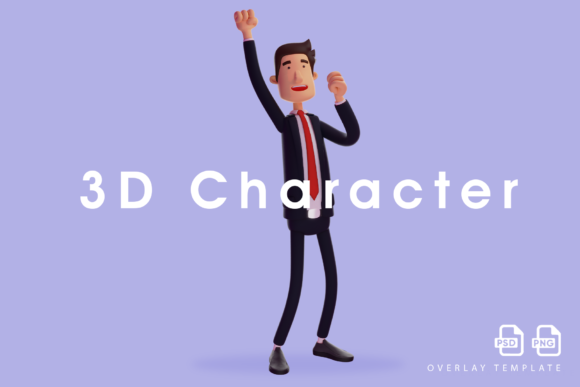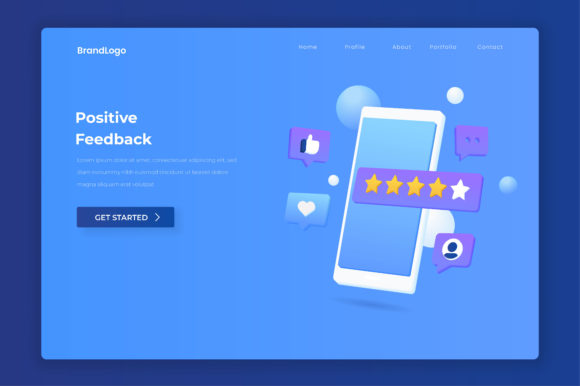
Making Success Visible: The Guide to Positive Feedback 3d Illustration
Think about the last time an app congratulated you. Maybe you submitted a form, completed a purchase, or hit a new personal best. Did the visual feedback make you feel truly recognized, or did it feel like an afterthought? The difference between a memorable reward screen and a forgettable one often comes down to the quality and intent of the positive feedback 3d illustration used. This isn't just about making things look pretty. It is a functional tool that bridges the gap between a system's logic and a user's emotional state. When done right, it builds trust. When done carelessly, it confuses and frustrates your audience.
The Emotional Disconnect: Matching the Visual to the Moment
One of the most common missteps creators make is using a one-size-fits-all visual for every positive interaction. A massive, exploding confetti trophy might feel fantastic when someone closes a major business deal, but it can feel jarring or even manipulative when used for a simple newsletter sign-up. This mismatch creates an emotional disconnect. The user feels like the system isn't listening to them.
The Trap of Emotional Inflation
High-energy visuals for low-stakes actions desensitize your audience. If everything is a massive celebration, nothing feels genuinely rewarding. This is often an attempt to make the product feel "fun," but it can backfire by making the UI feel chaotic and untrustworthy.
The Correction: Calibrate Your Intensity
Match the intensity of your positive feedback 3d illustration to the significance of the action. For a simple task completion, a subtle isometric checkmark with a soft glow signals "done" without overwhelming the user. For a major milestone, such as a promotion or a large donation, a dynamic scene with floating elements or a beautifully lit 3D trophy communicates prestige. Think of it like speaking to someone in person—you wouldn't yell "Congratulations!" for every small agreement, and your visuals should follow the same logic.
Beyond the Generic Clutter Trap
Another frequent issue is the belief that more elements equal more value. Creators often feel compelled to fill the scene with everything they can think of: stars, badges, coins, sparkles, and ribbons. Instead of feeling rewarded, the user feels overwhelmed. This clutter trap dilutes the message you are trying to send.
Why Clutter Hurts Clarity
When a user sees a cluttered positive feedback 3d illustration, their brain has to work harder to process what is happening. The core message—"You succeeded"—gets buried under a pile of visual noise. This reduces the efficiency of the feedback loop and can even cause anxiety for users who are looking for clear confirmation.
A Better Approach: Focused Composition
A clear, well-composed 3D object communicates prestige much more effectively than a cluttered scene. Invest in the quality of your central element. A single, beautifully rendered gem or a custom-branded trophy with thoughtful lighting and realistic materials creates a stronger emotional anchor. Less visual noise means a clearer signal. Before you add another element, ask yourself if it truly supports the message or just fills space.
The Consistency Checkpoint: Does It Belong to Your Brand?
Consistency is a critical factor that many overlook when selecting or commissioning positive feedback 3d illustration. Users notice when a visual asset looks like it belongs to a different application. This style hopping erodes trust and makes your product feel unpolished, even if the individual illustration is technically impressive.
The Style Clash Problem
Imagine a flat, minimalist user interface paired with a hyper-realistic, gritty 3D render. Or a playful, low-poly character popping up in a serious financial dashboard. These clashes signal a lack of attention to detail. The user starts to question the reliability of the entire experience.
Building a Cohesive Visual Language
The solution is to establish a dedicated 3D style guide. Define the level of detail, the lighting setup (soft studio lighting vs. dramatic rim lighting), the materials (clay, glass, metal, or flat-shaded), and the color palette for your 3D assets. Apply these rules consistently across every feedback moment. When all your positive feedback imagery shares a common visual DNA, the entire experience feels intentional and professional.
Performance and Practicality: The Hidden Cost of High Fidelity
A complex positive feedback 3d illustration that takes several seconds to load on a mobile network fails its primary purpose: to provide immediate positive reinforcement. High-fidelity comes at a cost, and ignoring that cost can destroy user satisfaction before they even see your beautiful art.
What to Check Before You Commit
- File Format: Is the format optimized for the web? Consider SVG or Lottie for simpler isometric styles. For complex 3D, glTF/GLB is often the most efficient standard.
- Polygon Count and Texture Size: A highly detailed model with 4K textures is overkill for a simple reward screen. Compress textures and reduce geometry where possible.
- Animation Weight: Subtle CSS animations or lightweight Lottie files often perform better than heavy, pre-rendered video files.
Choosing Smart Over Heavy
A well-optimized asset enhances the user experience; a slow one creates frustration. Consider using flat-shaded or low-poly styles that look premium but load instantly. The goal is to deliver that moment of delight immediately. A slight delay can turn a positive interaction into a negative one. Always test your chosen positive feedback 3d illustration on a real mobile device with a standard 4G connection before finalizing your design.
The Ethics of Delight: Keeping It Honest
Because positive feedback 3d illustration has a powerful psychological impact, it is sometimes used unethically. This is where design meets responsibility. Shiny, celebratory graphics should not be used to trick users into actions that are not in their best interest.
Avoiding Dark Patterns in Visuals
Never use a celebratory illustration to obscure a cost, a recurring subscription, or a difficult-to-find cancel button. The visual feedback should be an honest reflection of the user's action. If the action is a trap, the illustration is a lie. This erodes trust quickly and can damage your reputation. Keep your visuals aligned with the truth of the transaction.
Accessibility as a Core Requirement
Your positive feedback visuals must be accessible to everyone. Ensure high contrast between the 3D object and its background. Do not rely solely on color (like using a green checkmark) to convey success; always include supporting text. Provide descriptive alt text for screen readers so that the feedback is understood by users who cannot see the illustration. An inclusive design is a better design for everyone.
Essential Checks Before You Download or Design
Before you commit to a new positive feedback 3d illustration, run through this practical checklist to ensure it serves your goals without creating new problems.
- Define the Context: What specific user action is being confirmed? Is it a routine task or a rare milestone?
- Set the Emotion: How should the user feel? Relieved? Excited? Proud? The illustration must match this target emotion.
- Audit Brand Alignment: Does the style, color, and lighting of the asset match your existing UI components and brand guidelines?
- Test Performance: Will this asset load instantly on a mid-range mobile device? Optimize until it does.
- Prioritize Clarity: Is the positive message immediately readable, or is there visual noise? Simplify if needed.
- Verify Honesty: Does the illustration truthfully represent the value of what just happened?
- A/B Test When Possible: Sometimes a simple flat icon outperforms an elaborate 3D scene. Let data guide your decision.
Getting positive feedback 3d illustration right is a blend of art, psychology, and technical restraint. By avoiding the traps of emotional mismatch, clutter, inconsistency, and performance negligence, you create moments of genuine digital delight. The goal is not to show off your rendering skills. The goal is to make the user feel recognized, safe, and successful. When the illustration fits the moment perfectly, you do more than confirm an action—you earn trust. And that is the best kind of feedback you can get.