The Magic of Unicorn SVG: A Complete Guide to Using Scalable Vector Graphics in Modern Design
When you think of unicorns, you likely imagine a mythical creature with a spiraled horn, flowing mane, and an air of enchantment. In the digital design world, the unicorn SVG has become a symbol of creativity, whimsy, and versatility. But what exactly is a unicorn SVG, and why has it become such a staple for designers, educators, small business owners, and hobbyists alike? This guide will walk you through everything you need to know about unicorn SVGs—from what they are and why they matter, to how you can use them effectively in your own projects.
What Exactly Is a Unicorn SVG?
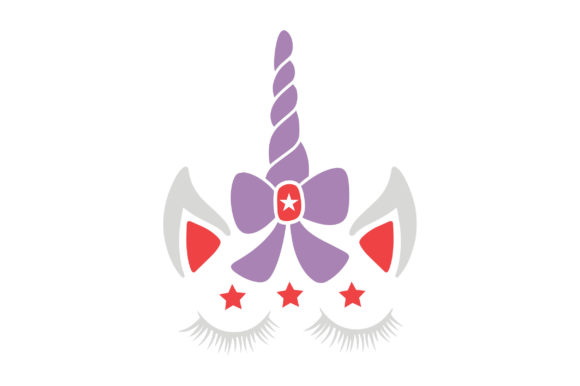
SVG stands for Scalable Vector Graphics. Unlike standard image formats like JPEG or PNG, which are made up of a fixed grid of pixels, SVGs are built using mathematical equations that define shapes, lines, colors, and curves. A unicorn SVG, then, is simply a vector graphic of a unicorn saved in this file format. Because it's based on vectors, you can scale it up to billboard size or down to a tiny icon without losing any sharpness or clarity.
This scalability is the primary reason SVGs have become so popular in web design, branding, and digital art. When you use a unicorn SVG, you are not stuck with a single resolution. The file will remain crisp and clean at any size, making it ideal for everything from mobile app icons to large-format banners.
Why Unicorn SVGs Have Become So Popular
Unicorns have long captured the human imagination. They represent purity, magic, and the extraordinary. In recent years, unicorn imagery has exploded in popular culture—appearing on clothing, home decor, party supplies, and, of course, digital media. The unicorn SVG taps into that cultural fascination while offering practical advantages that raster images simply cannot match.
Beyond the appeal of the subject matter itself, the popularity of unicorn SVGs can be attributed to the rise of DIY design. Platforms like Canva, Cricut Design Space, and Silhouette Studio have made it possible for non-designers to create professional-looking graphics. Unicorn SVGs are especially popular in these environments because they can be easily customized, recolored, and resized without needing advanced software skills.
The Practical Benefits of Using SVG Format for Unicorn Graphics
Choosing an SVG format for your unicorn artwork brings several concrete advantages:
- Infinite Scalability: As mentioned, you can enlarge or shrink a unicorn SVG without any loss of quality. This is essential for responsive web design where the same image needs to look good on a smartphone, tablet, and desktop monitor.
- Small File Sizes: SVG files are often significantly smaller than high-resolution PNG files, which means faster loading times on websites—a key factor for both user experience and search engine rankings.
- Editable Elements: Because SVGs are built from code, you can open them in a text editor or vector software and change individual parts. Want to make the unicorn's mane pink instead of rainbow? You can do that with a few clicks.
- Transparency Support: Like PNGs, SVGs support transparent backgrounds, allowing you to place your unicorn seamlessly onto any colored or patterned backdrop.
- Animation Potential: SVGs can be animated using CSS or JavaScript, giving you the ability to make your unicorn sparkle, gallop, or float across the screen.
How to Find and Choose High-Quality Unicorn SVGs
Not all unicorn SVGs are created equal. When searching for the perfect file, keep these criteria in mind:
Look for Clean Vector Paths
High-quality SVGs have well-organized vector paths without unnecessary anchor points. You can usually spot a poorly made SVG if the lines appear jagged when zoomed in or if the file is unusually large for a simple design.
Check the License
Many unicorn SVGs are sold or offered for free with specific usage terms. Some are for personal use only, while others allow commercial use—meaning you could use them on products you sell. Always read the license to avoid legal headaches later.
Consider the Style
Unicorn SVGs come in countless styles: minimalist line art, detailed illustrations, flat vector designs, and even abstract geometric interpretations. Choose a style that matches the tone of your project. A children's birthday invitation might call for a playful, colorful unicorn, while a tech startup's logo might benefit from a sleek, modern silhouette.
Test Scalability
Before committing to a unicorn SVG, test it at different sizes. A good SVG will remain crisp at 20 pixels wide and at 2000 pixels wide. If you notice any distortion or pixelation, the file may not be properly constructed.
Common Uses for Unicorn SVGs in Modern Projects
The versatility of the unicorn SVG means it appears in a wide range of contexts. Here are some of the most common applications:
- Web Design: Unicorn SVGs are used as hero images, decorative elements, icons, and loading animations on websites aimed at children, creative professionals, or fantasy enthusiasts.
- Branding and Logos: Small businesses, especially those in the toy, education, or party-planning industries, often incorporate unicorn SVGs into their branding to convey playfulness and imagination.
- Print-on-Demand Products: T-shirts, mugs, phone cases, and tote bags featuring unicorn designs are hugely popular. Using an SVG ensures the print stays sharp regardless of the product size.
- Educational Materials: Teachers and homeschool parents use unicorn SVGs to create engaging worksheets, flashcards, and classroom decorations that capture students' attention.
- Digital Scrapbooking: Hobbyists use unicorn SVGs to embellish digital photo albums, invitations, and social media graphics.
- Cutting Machine Projects: Cricut and Silhouette users rely on unicorn SVGs to create vinyl decals, iron-on transfers, and paper cutouts for personalized gifts and home decor.
Tips for Customizing Unicorn SVGs
One of the best features of working with SVGs is how easy they are to personalize. Here are some ways to make a unicorn SVG truly your own:
- Change Colors — Open the file in vector editing software (such as Adobe Illustrator, Inkscape, or even a web-based tool like Vectr) and adjust the fill and stroke colors to match your brand or theme.
- Add Details — Use the SVG's existing paths to add elements like stars, sparkles, or a rainbow background. Because the file is built from shapes, you can easily layer new graphics on top.
- Combine Multiple SVGs — Create a composite scene by merging several unicorn SVGs or pairing them with other vector elements like clouds, castles, or flowers.
- Animate with CSS — If you are comfortable with basic coding, you can add hover effects, fade-ins, or floating motion to your unicorn SVG using simple CSS keyframes.
- Simplify or Elaborate — Remove unwanted details to create a minimalist icon, or add extra layers of shading and highlights for a more polished look.
Common Misunderstandings About Unicorn SVGs
Even experienced designers sometimes hold misconceptions about SVGs. Let's clear up a few:
Myth 1: SVGs are only for simple graphics. While it's true that SVGs handle simple shapes beautifully, they can also support highly complex illustrations with gradients, patterns, and embedded raster images. A detailed unicorn SVG with intricate mane strands and shading is entirely possible.
Myth 2: You need expensive software to use SVGs. Not at all. Free tools like Inkscape, GIMP (with the SVG plugin), and online editors like SVG-Edit allow you to open, edit, and export SVGs without spending a dime. Many web browsers also display SVGs natively, so you can preview them instantly.
Myth 3: SVGs are not safe for web use. This misconception stems from the fact that SVGs can contain scripts. However, most stock SVGs are purely graphical and contain no code. If you download from a reputable source, you have nothing to worry about. And if you are concerned, you can strip out any embedded JavaScript before uploading to your site.
Myth 4: All unicorn SVGs are the same. Just like unicorns in folklore, each unicorn SVG has its own personality. The quality of the vector paths, the artistic style, and the attention to detail vary widely. It pays to browse carefully and choose files that align with your project's needs.
Getting Started with Unicorn SVGs in Your Own Work
If you are ready to start using unicorn SVGs, here is a simple path forward:
- Find a Reputable Source — Websites like Freepik, Vecteezy, Creative Market, and Etsy offer both free and paid unicorn SVGs. Look for sellers with high ratings and positive reviews to ensure quality.
- Download and Unzip — Many SVG files come in compressed folders. Once unzipped, you will see the .svg file, often along with a preview image and license information.
- Preview in Browser — Double-click the SVG file to open it in your web browser. This gives you a quick sense of how it looks and scales.
- Import into Your Design Tool — Whether you are using a web platform like Canva or a desktop app like Illustrator, simply drag the SVG file into your workspace or use the "Import" command.
- Customize and Export — Make your desired adjustments, then save your final project in the appropriate format (PNG for web, PDF for print, or keep it as SVG for further editing).
Remember that SVGs are flexible by nature. If you encounter a problem—like a color that won't change or a shape that looks off—search online for troubleshooting tips specific to the software you are using. The design community is generous with advice, and there are countless tutorials available for free.
Conclusion: Embrace the Magic of Unicorn SVGs
The unicorn SVG is more than just a pretty picture. It represents a convergence of cultural fascination and practical design technology. Whether you are a business owner looking to add a touch of whimsy to your brand, a teacher creating engaging classroom materials, or a hobbyist exploring digital art, the unicorn SVG offers a versatile, high-quality, and customizable solution.
By understanding what SVGs are, how they differ from other image formats, and where to find the best files, you can unlock a world of creative possibilities. So go ahead—download a unicorn SVG, make it your own, and let a little bit of magic into your next project.