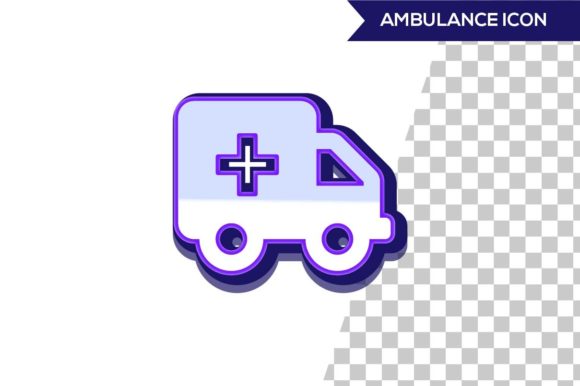
Understanding 3D Ambulance Icon Design: Purpose, Process, and Modern Impact
In an increasingly digital and visual world, icons are the silent narrators of functionality. Among them, the 3D ambulance icon stands out as more than just a decorative element—it is a symbol of urgency, safety, and clarity. Whether you are a UI designer, a healthcare professional, or simply someone curious about modern iconography, understanding the design and significance of a 3D ambulance icon offers valuable insights into how visual communication shapes our daily interactions. This guide explores what 3D ambulance icon design entails, why it matters, how it is created, and where it fits into technology, business, and everyday life.
What Is a 3D Ambulance Icon?
A 3D ambulance icon is a three-dimensional visual representation of an emergency vehicle, typically used in digital interfaces, signage, applications, and websites. Unlike traditional flat icons, which rely on two-dimensional shapes and colors, a 3D ambulance icon incorporates depth, lighting, shadows, and perspective to create a more realistic or stylized volumetric appearance. The goal is to convey the concept of emergency medical services (EMS) instantly, while also enhancing the user experience through visual richness.
The icon usually features recognizable elements: a rectangular box-like body, a cab, wheels, a light bar on top, and often a red cross or star of life symbol. In three dimensions, these elements gain form and weight, making the icon feel tangible and approachable. The design can range from highly realistic (resembling a photograph) to stylized (using exaggerated proportions or low-poly aesthetics), depending on the context and brand identity.
Why 3D Ambulance Icons Matter: The Intersection of Clarity and Emotion
Icons serve as cognitive shortcuts. When you see an ambulance icon, you do not read a label—you immediately understand "medical emergency" or "urgent care." Adding a third dimension amplifies this effect in several ways:
- Enhanced recognition: Depth and shadow mimic real-world objects, making the icon easier to identify at a glance, especially on small screens or cluttered interfaces.
- Emotional resonance: A 3D ambulance icon can feel more urgent, trustworthy, or reassuring than a flat counterpart. The realistic rendering taps into viewers' familiarity with real ambulances.
- Brand differentiation: In a crowded digital landscape, a well-crafted 3D icon sets a product or service apart, signaling attention to detail and modern design sensibilities.
- Accessibility benefits: When paired with proper contrast and thoughtful geometry, 3D icons can improve legibility for users with visual impairments, especially when combined with alt text and labels.
The Evolution from Flat to 3D: A Brief Background
To appreciate 3D ambulance icon design, it helps to understand the broader shift in iconography. In the early days of digital interfaces, icons were simple, flat, and pixel-constrained—think of the classic Windows 95 icons or early iOS glyphs. The rise of flat design (circa 2010) emphasized minimalism, removing gradients and shadows for a clean, modern look. However, as technology advanced and screens became capable of rendering complex graphics in real time, designers began reintroducing depth in controlled, intentional ways.
The emergence of skeuomorphic 3D in the late 2000s (think early iPhone apps with realistic textures) eventually gave way to a balanced approach: semi-flat 3D or soft 3D. This style uses subtle gradients, light shadows, and isometric perspectives to create depth without overwhelming the user. Today, 3D ambulance icons often fall into this category, offering the best of both worlds—visual interest without sacrificing clarity or performance.
Key Technical Elements of a 3D Ambulance Icon
Designing a 3D ambulance icon involves several technical and artistic considerations. Here are the core components:
Geometry and Proportion
The icon must instantly read as an ambulance. This means getting the proportions right: a long wheelbase, a distinct cab, and a boxy patient compartment. In 3D, these shapes are built using polygons (in low-poly styles) or smooth curves (in high-poly styles). The perspective is often isometric or slightly tilted to reveal the sides and top, making the icon more informative than a front-facing flat icon.
Lighting and Shading
Lighting defines the 3D form. A typical setup uses a key light (bright, from one side), a fill light (softer, from the opposite side), and a rim light (to outline edges). Shadows fall naturally beneath the vehicle and around the wheels. The light bar on top often emits a subtle glow, reinforcing the emergency function. Effective shading creates a sense of material—metallic for the body, glass for the windows, and rubber for the tires.
Color Palette
Ambulances are universally associated with white, red, and orange. In 3D icon design, white surfaces take on warm or cool tints depending on the lighting environment. Red is used for emergency stripes, crosses, or the light bar. A muted blue or gray might appear in shadows or on the windows. The color scheme must remain accessible: sufficient contrast against background colors is critical for usability.
Material Representation
Modern 3D software (like Blender, Cinema 4D, or Adobe Dimension) allows designers to assign materials with properties such as roughness, metalness, and opacity. A steel body might have a slightly rough metallic finish, while windows are transparent with a bluish tint. The wheels are matte black rubber. These material cues help the icon feel grounded and realistic, even in a stylized design.
Iconic Details
Small features make the icon unmistakable: a red cross or star of life on the side, a light bar with distinct segments, side mirrors, and step bumps. In 3D, these details can be modeled as separate geometry or achieved through normal maps and textures, depending on the intended level of detail and performance constraints.
Practical Applications: Where 3D Ambulance Icons Are Used
The 3D ambulance icon is far from a niche asset. Its applications span multiple domains:
- Healthcare mobile apps: Used in emergency contact sections, appointment booking for urgent care, or ambulance request features.
- Navigation and mapping services: As a map marker for hospitals, urgent care centers, or ambulance pick-up points. The 3D form helps the icon stand out among flat map elements.
- Gaming and simulation: In first-responder simulation games, a 3D ambulance icon represents player-controlled vehicles or mission objectives.
- E-learning and training: In modules for EMTs, paramedics, or first responders, icons help illustrate concepts, equipment, and procedures.
- Wayfinding and public signage: Digital kiosks and airport signage sometimes use 3D icons to indicate nearby medical facilities or emergency services.
- Branding and marketing: Insurance companies, healthcare startups, and medical device firms use 3D ambulance icons in their visual identity to convey reliability and speed.
Design Principles and Best Practices
Creating an effective 3D ambulance icon requires balancing artistry with usability. Here are the principles that guide successful designs:
Prioritize Readability
Even in 3D, the icon must be recognizable at small sizes (e.g., 24×24 or 48×48 pixels). Avoid overly complex geometry, thin extruded parts, or tiny details that vanish when scaled down. The silhouette is paramount: if the outline of the icon does not look like an ambulance, the 3D effects will not save it.
Maintain Consistency
If you are designing a set of icons (e.g., for a healthcare app), all icons should share the same perspective, lighting direction, material style, and level of detail. A 3D ambulance icon that uses a top-down isometric view should match other icons in the set, creating a cohesive visual language.
Balance Depth and Performance
In digital products, file size and rendering speed matter. A highly detailed 3D ambulance icon with many polygons and complex textures may slow down a website or app. Optimize by using lower polygon counts, compressed textures, and simple lighting models. Alternatively, render the icon as a high-quality PNG or SVG with baked shadows, rather than keeping it as a live 3D object.
Test Across Contexts
A 3D ambulance icon that looks stunning on a desktop monitor may appear muddy on a mobile screen or when printed in grayscale. Test the icon in multiple sizes, on various backgrounds (light, dark, and patterned), and in both digital and print media. Ensure the red cross or star of life remains clearly visible and does not get lost in shadows.
Respect Cultural Symbols
The red cross is a protected symbol under the Geneva Conventions. While its use in icons for non-medical contexts is generally accepted in UI design, be mindful of cultural sensitivity and legal restrictions in certain jurisdictions. The star of life (six-pointed star with a rod of Asclepius) is a safe alternative for representing emergency medical services.
Common Misunderstandings About 3D Ambulance Icons
As with any design topic, several myths and assumptions can lead users or designers astray. Here are clarifications to build a broader understanding:
- Myth: 3D icons are always better than flat icons. Reality: 3D icons excel in contexts where depth aids recognition or emotional impact, but they can feel heavy or distracting in minimalist interfaces. The choice depends on the overall design system and audience.
- Myth: Creating a 3D ambulance icon requires advanced 3D modeling skills. Reality: While professional tools help, many icon designers use isometric projection techniques in 2D software (like Adobe Illustrator) to create a convincing 3D look without true 3D geometry.
- Myth: A 3D ambulance icon must be realistic. Reality: Many effective 3D icons are stylized—using bold colors, simple shapes, and exaggerated proportions. The key is conveying the essence of an ambulance, not photorealism.
- Myth: Accessibility and 3D icons are incompatible. Reality: With proper contrast, scalable vector formats, and ARIA labels, a 3D ambulance icon can be fully accessible. The depth does not inherently create barriers if designed thoughtfully.
How 3D Ambulance Icons Fit into Modern Life and Work
In an era where digital products mediate much of our daily experience, the 3D ambulance icon is a small but meaningful touchpoint. Consider these everyday scenarios:
- You open a ride-hailing app to request an ambulance for a family member. The 3D icon on the button not only signals "emergency" but also conveys professionalism and reliability.
- You use a hospital finder while traveling abroad. The 3D ambulance icon on the map stands out among restaurant and hotel markers, helping you locate urgent care quickly.
- You participate in a virtual first-aid training course. The 3D ambulance icon in the interface reinforces the seriousness of the subject while keeping the learning environment modern and engaging.
For designers and product teams, the 3D ambulance icon represents an opportunity to build trust and clarity into their interfaces. In a world where users make split-second decisions, a well-designed icon can reduce cognitive load, improve navigation, and even contribute to safety outcomes.
Creating Your Own 3D Ambulance Icon: A Simple Framework
If you are inspired to try your hand at 3D ambulance icon design, here is a step-by-step approach suitable for beginners:
- Reference gathering: Collect 5–10 images of real ambulances from different angles. Note the proportion of the cab to the body, wheel size, and light bar placement.
- Silhouette sketch: Draw a simple 2D silhouette of the ambulance in your chosen perspective (e.g., isometric or side-angle). This will be the foundation.
- Block out base shapes: In your 3D software, create primitive shapes (boxes, cylinders) to represent the main volumes: body, cab, wheels, and light bar. Keep it simple.
- Add detail and bevels: Refine the shapes with beveled edges, cutouts for windows, and small protrusions for mirrors or handles.
- Apply materials and lighting: Choose a white metallic paint for the body, dark rubber for tires, and transparent glass for windows. Set up a three-point light system.
- Render and test: Render the icon at multiple sizes. Test it on different backgrounds. Adjust contrast and color saturation as needed.
- Export and integrate: Export as PNG with transparency, SVG (if your tool supports it), or a sprite sheet. Implement with appropriate alt text like "ambulance icon" or "emergency medical services."
The Future of 3D Ambulance Icon Design
As augmented reality (AR) and virtual reality (VR) become more mainstream, the role of 3D icons will expand. In AR interfaces, a 3D ambulance icon might hover above a real-world location, guiding a user to the nearest emergency room. In VR training simulations, the icon could be a full-scale model that users interact with. The principles of clarity, consistency, and accessibility will remain vital, but the context will demand even greater attention to scale, depth, and responsiveness.
Furthermore, the rise of AI-assisted design tools means that generating variations of 3D ambulance icons—different styles, colors, or perspectives—will become faster and more accessible to non-designers. However, the human touch—understanding the meaning behind the icon, respecting cultural symbols, and ensuring it serves real human needs—will always be the differentiator.
Conclusion
3D ambulance icon design is a fascinating intersection of art, technology, and human psychology. It goes beyond merely drawing a vehicle; it is about creating a visual symbol that communicates urgency, trust, and help in an instant. For designers, mastering this craft means understanding proportion, lighting, material, and context. For users, it means experiencing interfaces that feel intuitive and responsive. And for society, it means having digital tools that are not only functional but also compassionate in their design.
Whether you are designing your first 3D icon or simply appreciating the icons you encounter daily, remember that every ambulance icon carries a promise—that help is on the way. And in a digital world, that promise starts with a well-designed shape, a carefully chosen shadow, and a light that never stops shining.