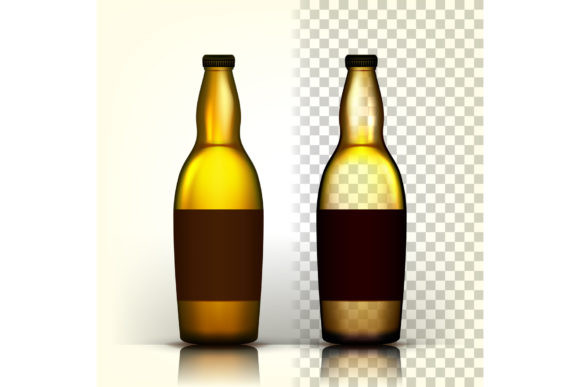
Beer Bottle Vectors, Alcohol Labels, and Bar Graphics: Practical Uses for Creators and Businesses
You’ve probably seen a beer bottle vector pack, an alcohol label template, or a set of bar‑themed graphics and wondered if they’re worth the download. These ready‑made assets are more than just decorative clipart. They are flexible tools that can save you hours of design time, whether you’re a small business owner tweaking a product label, a blogger looking for a featured image, or a freelancer in need of a quick visual. Let’s explore how real people actually use these resources and what you should keep in mind before you start.
What Are Beer Bottle Vectors, Alcohol Labels, and Bar Graphics?
At their core, these are professionally created illustrations that come as scalable vector files (often SVG, EPS, or AI). A “beer bottle vector” might show a classic longneck, a stubby, or even a growler, with clean outlines and layered colors. An “alcohol label” asset could include a mock‑up of a bottle with a blank label area ready for your own text and logo. “Bar” graphics usually cover beer taps, glasses, coasters, neon signs, and other pub‑related elements. Combined, they give you a library of building blocks for anything from a craft beer menu to a party invitation.
Who Actually Uses These Assets and Why?
The beauty of vector graphics is that they fit into many different workflows. Below are several realistic scenarios where these assets go from “nice to have” to “absolute time‑saver.”
The Small Brewery Owner Needing a Quick Label Mock‑Up
Imagine you run a nanobrewery and want to test a new label design for your seasonal IPA. You can grab a beer bottle vector, drop your artwork onto the label area, and adjust colors to match your branding. Without this asset you’d have to photograph a real bottle, cut out the background, and hope the lighting works. With a vector, you get a clean, editable mock‑up that works for social media previews, website updates, and even early feedback from distributors. The scalability means you can use the same file for a small Instagram post and a large print flyer without losing quality.
The Party Planner Designing a Custom Invite
Throwing a 30th birthday bash at a local bar? A bar vector pack can give you illustrations of frothy pint glasses, bottle caps, and chalkboard signs. You combine them with a label‑style headline to create an invitation that feels authentic and fun, without hiring a graphic designer. Use the same assets for thank‑you cards or a digital “save the date.” Because vectors are layered, you can change the color of the beer or the background in seconds to match your party theme.
The Blogger Writing About Homebrewing or Bar Reviews
If you run a beer blog, you likely need consistent visuals for each post. Instead of searching for stock photos that never quite match your style, build a small library of bottle vectors and bar icons. Use them as feature images, break up long paragraphs, or create comparison side‑by‑side graphics. Because vectors are lightweight, your site’s load time stays fast. And you can easily add a logo or a label graphic to create a custom illustrated version of the beer you’re reviewing — useful when you don’t have a photo handy.
The Freelance Designer Saving Hours on Recurring Requests
Designers often get asked to create bar menus, event posters, or product labels. Having a go‑to set of beer bottle vectors and label templates means you can skip the “draw‑from‑scratch” stage. Drop in a pre‑made bottle, adjust its color to match the client’s brand, add text to the label area, and you’re halfway done. Your client gets a polished look without paying for hours of vector illustration work. You can also mix and match elements from bar graphics — a tap handle here, a coaster there — to give each project a unique feel.
The Educator Building a Marketing or Design Lesson
Teachers and workshop leaders use these assets to show students how to package a product. Hand out a beer bottle vector and ask learners to create a fake label. It teaches alignment, typography, and branding without needing complicated drawing skills. The same assignment works for high school graphic design classes or adult‑education marketing courses. Because vectors are editable, students can practice changing colors, adding patterns, and exporting for different formats — all real‑world skills.
The Online Seller Who Needs Product Photography Without a Photoshoot
If you sell beer‑themed merchandise on Etsy or Amazon, you might not have the budget for a professional photoshoot. Use a bottle vector with a clean label template to create digital mock‑ups for your listing images. Add your logo, pick a background, and export. The result can look remarkably close to a real photo, especially if you add subtle shadows or gradients. Customers browsing will see a consistent style, and you can update the label for each variant without restaging anything.
Where and When You’ll Use These Graphics
While the “where” is obvious — websites, menus, flyers, social media — the “when” is often tied to tight deadlines. A bar owner might need a new happy‑hour menu printed in two days. A freelancer might land a rush job for a brewery festival. Having a beer bottle vector pack already downloaded means you open the file, tweak the label, and send it off instead of starting from nothing. Another common moment is during event planning: a party host might realize the invitations need a bar theme and they want something original, not a generic stock photo.
It’s also common to see these assets in pitch decks. If you’re presenting a new alcoholic beverage concept to investors, a clean vector mock‑up of the bottle with your label design demonstrates professionalism. You can place the bottle in a stylized bar scene (using other bar graphics from the set) to show how it might look on a shelf or behind a bar.
What to Consider Before Grabbing a Pack
Not every set is built the same. Here are a few practical things to check before you download, buy, or use a beer bottle vector or alcohol label asset.
- File format and editability. Look for EPS or AI if you use Adobe software, or SVG if you work with web tools. Some packs come with PNG previews, but vectors are only truly scalable if they are in a vector format. Check that the layers are unlocked so you can change colors or remove elements.
- Licensing for commercial use. If you plan to put these graphics on a product you sell (like a beer label for packaging or a paid online course), make sure the license covers commercial use. Some packs are only for personal projects. Read the terms carefully to avoid legal headaches later.
- Style cohesion. A beer bottle drawn in an ultra‑realistic style might clash with a flat‑designed bar menu. Look for packs that have a consistent aesthetic, or mix multiple packs from the same designer. Many marketplaces let you preview every file, so take a minute to see if the vector lines feel right for your brand.
- Customization ease. Are the label areas clearly marked? Is there a separate layer for the glass highlights? Good packs often include guides or layers named logically (e.g., “label background,” “bottle shadow”). This makes replacing text and artwork straightforward, even if you’re not a vector expert.
- Resolution and print readiness. While vectors are resolution‑independent, some packs come with embedded raster effects. For print projects, confirm that the file uses CMYK color space if needed, or that you can easily convert it. For digital use, RGB is fine.
Making the Most of Beer Bottle Vectors in Your Work
Once you have a quality set, small tweaks can make it feel original. Change the bottle color to match your brand palette. Add a subtle drop shadow to make the label pop. Experiment with different backgrounds — a wooden counter, a chalkboard texture, or a night‑life gradient. Because the elements are separated, you can even combine a bottle from one pack with a bar sign from another, as long as the styles are similar.
For bloggers, consider creating a simple template: place the bottle vector on the left, add bullet points on the right, and reuse that layout for every beer review. That consistency builds visual recognition among readers. For small business owners, use the same vector on your website, your menu PDF, and your printable table tent cards. That repetition strengthens your brand and saves you from designing each piece individually.
Remember that vectors are meant to be scaled. That bottle illustration you use for a tiny web icon can be blown up to poster size without pixelation. Take advantage of this by creating multiple versions — a large hero image for the homepage and a small social media avatar — from the same source file.
Realistic Outcomes: What You Can Expect
Using beer bottle vector, alcohol label, and bar graphics won’t magically double your sales, but it can give your project a polished look in a fraction of the time. You’ll avoid the frustration of hunting for the right photo only to find it has copyright restrictions. You’ll gain flexibility: want to change your label from green to gold? It’s a two‑click edit. Need to make the bottle smaller for a mobile layout? You don’t lose quality.
For marketers, these assets help you move fast. When a new seasonal beer is launching, you can create a social buzz with a series of images that all share a consistent bottle silhouette. For educators, they offer a hands‑on way to teach packaging design without requiring advanced illustration skills. And for everyday users, they turn a simple party invite into something that feels custom‑made.
The key is to choose assets that fit your specific need rather than grabbing the first generic pack. Look for sets designed by someone who understands how bottles sit, how light reflects off glass, and what makes a label look realistic. When you find those, the vector file becomes a versatile tool you’ll reach for again and again.