Lemon 3D Text Effect Design: A Fresh Take on Typography
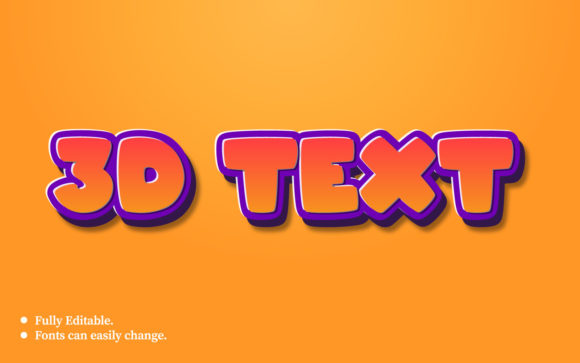
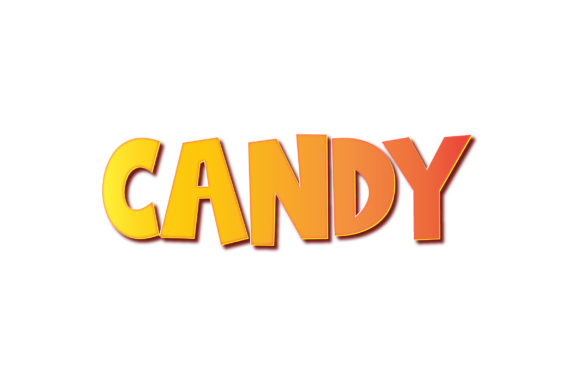
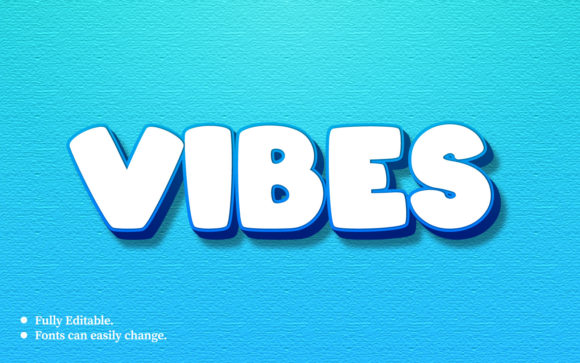
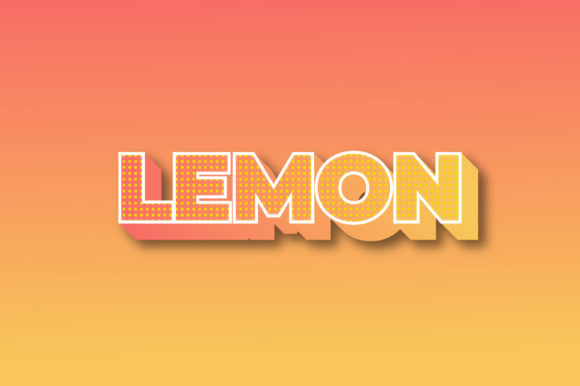
Some typefaces are meant to whisper. Others are meant to be seen, felt, and remembered. The Lemon 3D Text Effect Design falls squarely into the second camp. It’s not trying to blend into a paragraph or quietly support a layout. It demands a second look. When you first encounter it, the effect is almost tactile—like the letters have been carved from citrus resin or molded from glossy plastic. The visual characteristics are unmistakable: bold, dimensional lettering with a glossy finish that catches light and creates the illusion of depth.
The personality of this style is playful without being childish, energetic without being chaotic. It carries a sense of freshness and optimism that works well for brands or projects that want to communicate approachability and confidence. The three-dimensional treatment gives each letter a physical presence, as if the text is popping off the page or screen. That quality makes it especially useful for headlines, call-to-action buttons, and any space where you need the viewer to stop and pay attention.
What makes the Lemon 3D Text Effect Design stand out from other display fonts is its balance. It doesn’t rely on extreme angles or aggressive shadows. Instead, the depth feels natural, almost soft, which keeps it readable even at smaller sizes. The finish suggests a polished surface rather than a rough extrusion, which gives it a refined look that still feels fun. That balance is rare in dimensional typography, and it’s one of the reasons this design works across more applications than you might expect.
Where Lemon 3D Text Effect Design Shines in Real Projects
If you’re a designer or content creator, you already know that not every project calls for a display font with this much personality. But when the right project comes along, the Lemon 3D Text Effect Design can be the difference between a layout that looks competent and one that feels memorable.
In logo design, this typeface works especially well for brands in the food and beverage space, particularly those centered around citrus, fresh ingredients, or bright flavors. A juice bar, a lemonade stand, a cocktail brand, or a natural skincare line could all benefit from the visual cues this design provides. The glossy, dimensional quality suggests freshness and quality without needing any additional graphic elements. The text itself becomes the logo.
For editorial design, think magazine covers, feature spreads, or section headers where you want to create a moment of visual energy. Because the Lemon 3D Text Effect Design has natural depth, it pairs well with minimal layouts. A clean grid, plenty of white space, and one bold headline set in this style can create a cover that sells itself. The same applies to packaging design—especially for products aimed at younger, design-conscious consumers. A juice bottle or snack box with this type treatment communicates that the product inside is vibrant and modern.
In the digital space, the Lemon 3D Text Effect Design works well on social media graphics, landing page headers, and digital ads. It holds up on screens because the contrast and dimensionality remain visible even at lower resolutions. For web design, it works best as a hero section headline or a featured banner text. Just be careful not to overuse it across an entire page. A little goes a long way when you’re working with a font that has this much visual weight.
Beyond commercial work, this design is also popular with hobbyists and crafters who want to create personalized gifts, party decorations, or custom signage. A birthday banner, a wedding sign, or a custom notebook cover all become more special when the lettering has that three-dimensional pop. The tactile quality makes people want to touch it, which is a real advantage in physical print projects.
How This Font Affects Readability, Hierarchy, and Brand Perception
Let’s talk about readability, because that’s where display fonts often fall short. The Lemon 3D Text Effect Design manages to stay legible even when used in shorter phrases, which is more than many dimensional typefaces can claim. The key is the consistent depth and lighting. Because each letter follows the same shading pattern, the reader’s eye can process the shape of the word without getting confused by inconsistent shadows or overlapping geometry.
That said, readability does drop off when you try to use it for long passages of text. This is not a body font. It’s a display font designed for impact, not endurance. Use it for headlines, subheadings, logos, and short callouts. For body copy, pair it with a clean sans-serif or a neutral serif that doesn’t compete for attention. That combination creates a strong visual hierarchy: the dimensional headline pulls the viewer in, and the simpler body text delivers the message without distraction.
From a brand identity perspective, choosing the Lemon 3D Text Effect Design sends a clear signal about your brand’s personality. It says you’re confident, creative, and not afraid to stand out. Brands that rely on this style often belong to industries where energy and approachability matter more than tradition or formality. It can also help younger or emerging brands establish recognition quickly, because the visual distinctiveness makes the name stick in people’s minds.
Consistency is another factor. If you’re building a brand identity around this design, you’ll want to use it consistently across touchpoints—your website header, product packaging, social media templates, and maybe even your email marketing headers. That repetition builds familiarity, and familiarity builds trust. But again, restraint matters. Use the Lemon 3D Text Effect Design as an accent, not the entire voice of your brand. Let it punctuate your messaging rather than shout through every sentence.
Practical Guidance for Choosing and Using This Font
So you’re considering the Lemon 3D Text Effect Design for a project. Here’s how to evaluate whether it’s the right fit and how to get the most out of it once you commit.
Start by asking what tone you want to communicate. If your project needs to feel warm, approachable, and slightly playful, this design is a strong contender. If you’re going for minimalism, luxury, or extreme sophistication, you might want something more restrained. The Lemon 3D Text Effect Design has personality, and that personality needs to align with your message. A law firm or a financial services brand would find it harder to justify this choice than a beverage startup or a lifestyle blog.
Next, think about font pairing. The bold, dimensional nature of this design means it works best with simpler companions. A clean sans-serif like Helvetica, Montserrat, or Open Sans is a safe and effective choice. If you want something with a bit more character, try a geometric sans-serif that picks up on the rounded shapes of the Lemon design. Avoid pairing it with another display font or a script font, because that creates visual competition. One star per layout is enough.
When you evaluate a specific font file, pay attention to what’s included in the package. Some versions of the Lemon 3D Text Effect Design come with alternate characters, ligatures, or multiple shadow styles. Those extras matter if you want to create custom variations or avoid repetition in longer projects. Check whether the font supports the character set you need, especially if you’re working with multiple languages or special symbols.
Readability considerations should also guide your size choices. At very small sizes—below 24px in digital or below 18pt in print—the dimensional details can get muddy. Use it at medium to large sizes where the depth and shading have room to breathe. If you need a smaller headline treatment, consider using a flat, non-dimensional version of the same letterforms if one is available. Otherwise, resize with caution and test at actual output size before committing.
Commercial licensing is another area that deserves your attention before you start designing. If you’re using the Lemon 3D Text Effect Design for a client project, a product you sell, or any branded material that generates revenue, make sure you purchase a commercial license. Some fonts come with different tiers—personal, commercial, and extended. The extended license typically covers things like merchandise, broadcast, or embedding in apps. Skipping this step can cause problems later, especially if your project gains traction and the font foundry reaches out. It’s better to pay for the right license upfront than to redesign everything under pressure.
For personal projects, hobbyists can often use the standard license without issue. Just double-check the terms before you upload a design to a print-on-demand platform or a marketplace. Some platforms require proof of licensing for any font used in commercial products, even if you’re selling only a few items.
One more practical tip: test the Lemon 3D Text Effect Design on the actual medium you plan to use. A screen mockup can look very different from a printed label or a large-format banner. The glossy, dimensional effect can shift depending on lighting, paper stock, or screen calibration. Order a proof if you’re printing, or view the design on multiple devices if you’re going digital. That extra step saves you from surprises and gives you confidence that the final output matches your vision.
If you’re a marketer or small business owner working without a dedicated designer, don’t be intimidated by the process. Many font marketplaces offer preview tools that let you type your brand name and see how it looks in different styles. That makes it easier to judge whether the Lemon 3D Text Effect Design fits your brand without committing to a purchase first. Take advantage of those previews. Type in a few phrases that matter to your business. See how the letters behave together. Sometimes a font looks perfect for one word but awkward in a longer phrase.
Ultimately, the Lemon 3D Text Effect Design is a tool with a specific job: to stop the scroll, to make people pause, and to communicate that what you’re showing them is fresh, bright, and worth their time. When you use it with intention, it does that job remarkably well. When you use it carelessly, it just adds noise. Trust your instincts, test your choices, and let the font do what it does best. Your audience will notice the difference.