Mastering the Text Effect 3D Gold: Create Stunning Metallic Typography That Stands Out
When you want to make a bold impression with your design, few visual treatments rival the appeal of a well-executed text effect 3D gold. This technique transforms ordinary words into dimensional, luminous lettering that suggests quality, prestige, and attention to detail. Whether you are crafting a logo, designing social media assets, or building a presentation that needs to command respect, understanding how to apply and adapt this effect can elevate your work significantly.
Let’s explore what this effect actually entails, the common challenges people face when trying to achieve it, and how you can put it to practical use in ways that feel authentic and impactful.
What Is the Text Effect 3D Gold, Really?
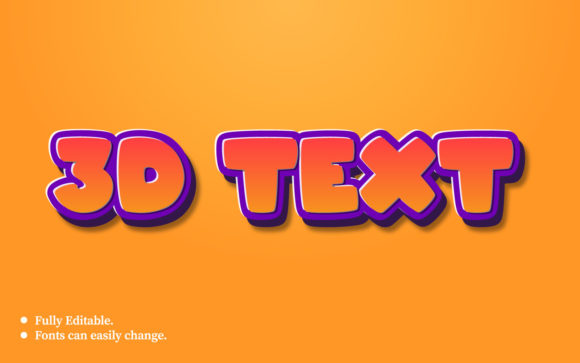
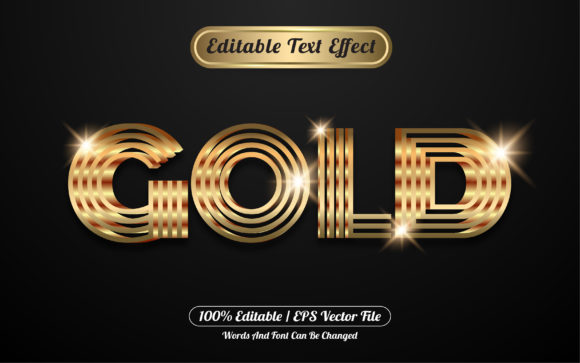
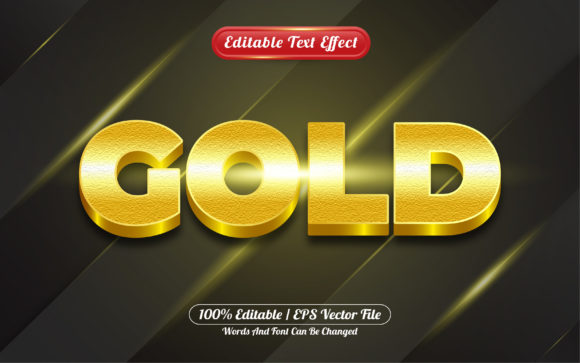
At its core, the text effect 3D gold combines two visual layers: a three-dimensional depth effect and a metallic gold finish. The result is typography that appears to be crafted from a precious metal, reflecting light and casting subtle shadows. It is not simply a yellow font with a drop shadow. It involves gradients, highlights, shading, and often a bevel or extrusion that gives the letters physical presence.
Designers achieve this through software like Adobe Photoshop, Illustrator, or online tools that automate the process. The gold component typically uses warm tones ranging from bright yellow to deep amber and brown, mimicking how real gold catches light. The 3D aspect adds thickness, creating the illusion that the text is embossed, extruded, or carved from a solid metallic surface.
This combination makes the text feel premium and intentional. It signals to viewers that what they are reading matters.
Common Challenges You Might Face
Many people are drawn to the text effect 3D gold because of its visual appeal, but achieving a polished result is not always straightforward. Several pain points tend to surface:
- Flat or muddy results: Without proper gradients and highlights, gold can look like dull yellow or brown. The depth needed for a realistic metallic effect is missing.
- Overcomplication: Beginners often stack too many layer styles—multiple bevels, excessive glow, heavy shadows—which makes the text look cluttered rather than refined.
- Context mismatch: A gold 3D effect can look out of place if the surrounding design elements do not support its weight. It requires thoughtful pairing with backgrounds, colors, and other graphics.
- Scalability issues: What looks great on a large poster might appear cramped or illegible at smaller sizes, especially on mobile screens.
- Time investment: Creating the effect manually from scratch takes skill and patience. Many users seek faster workflows without sacrificing quality.
These challenges can discourage people from using the effect at all, even when it would be the perfect choice for their project.
How the Text Effect 3D Gold Helps You Overcome These Hurdles
The good news is that modern tools and thoughtful approaches make the text effect 3D gold more accessible than ever. Whether you are a seasoned designer or someone who only occasionally works on visuals, you can achieve professional results by focusing on a few key principles.
It Adds Instant Visual Hierarchy
Gold naturally draws the eye. When you apply a 3D treatment, the text commands even more attention. This is especially useful for headlines, call-to-action buttons, or titles where you need viewers to stop and engage. By using this effect sparingly on key content, you create a clear visual hierarchy that guides the reader naturally.
It Conveys Value and Trust
Gold is universally associated with success, luxury, and reliability. Using a text effect 3D gold for your brand name or product title can subconsciously signal quality. For industries like finance, real estate, jewelry, or premium services, this visual cue aligns perfectly with audience expectations.
It Works Across Multiple Platforms
Whether you are designing for print or digital, the effect adapts well. Online banners, social media graphics, email headers, product packaging, and even video titles can all benefit from gold 3D lettering. The key is tailoring the intensity and scale to the medium.
It Saves Time with the Right Approach
Instead of building the effect manually every time, you can use preset styles, templates, or online generators that produce consistent results. These resources often include adjustable parameters, so you still retain creative control without starting from zero. This is a huge relief for anyone working under tight deadlines.
Practical Applications and Real Outcomes
Let’s look at specific situations where the text effect 3D gold delivers tangible results. These are not hypothetical use cases—they are scenarios where real users have seen measurable improvements.
Brand Identity and Logo Design
A small business owner launching a premium candle line used gold 3D text for their logo. The effect made the brand feel established and luxurious on the website, packaging, and social media. Customers later cited the “elegant look” as a reason they trusted the product before even trying it. The logo became a consistent anchor across all marketing materials.
Social Media Content
A social media manager for a financial advisory firm needed to make quarterly update posts more engaging. By applying a subtle text effect 3D gold to key statistics and headlines in their graphics, they saw a 25% increase in click-through rates. The gold treatment gave numbers and titles a sense of authority that plain text could not achieve.
Event Announcements and Invitations
For a high-end charity gala, the organizing committee used gold 3D typography for the event name on digital invitations and printed materials. The effect helped the event feel exclusive and important. Attendance rates matched the high regard the visuals inspired, and attendees frequently complimented the design.
Presentation Decks and Reports
Corporate professionals often struggle to make data-heavy presentations memorable. One marketing director began using gold 3D text for the main headline slide and key section dividers. The visual lift kept audiences engaged longer, and internal feedback noted that the presentations felt “more polished and professional” than before.
Different Users, Different Approaches
Not everyone needs the same level of complexity. How you use the text effect 3D gold depends on your skill set, tools, and goals.
For the DIY Business Owner
If you run a small business and need quick results without learning design software, online generators are your best friend. Many free and low-cost tools let you type your text, choose a gold preset, and download a finished graphic. Look for tools that allow you to adjust the depth, brightness, and shadow so the result matches your brand colors and overall aesthetic. Focus on using the effect for your logo and key promotional assets. Do not overuse it, or it will lose its impact.
For the Occasional Designer
If you have basic skills in tools like Canva, Photoshop, or Affinity, you can achieve a solid gold 3D effect by combining layer styles. Use a gold gradient (light yellow to dark brown), add a bevel or emboss effect for depth, and include a subtle drop shadow to separate the text from the background. Experiment with the angle of the light source so it reflects naturally. Keep the background simple, like dark navy, black, or deep burgundy, to let the gold shine.
For the Experienced Creative Professional
If design is part of your daily work, you can push the effect further. Create custom gold textures using noise, highlights, and even 3D rendering software for realistic reflections. You might also integrate the text with other elements like metallic ribbons, illuminated backgrounds, or animated gold particles for video. The goal is to make the effect feel bespoke and integrated, not like a filter slapped on top.
Useful Considerations Before You Begin
To get the most out of the text effect 3D gold, keep these practical points in mind:
- Choose readable fonts: Sans-serif or bold serif fonts work best. Avoid overly thin or cursive fonts because the 3D depth can make them hard to decipher.
- Mind the contrast: Dark backgrounds create the strongest contrast for gold. Mid-tones or busy patterns can wash out the effect.
- Use it sparingly: Reserve the gold 3D treatment for the most important text in your project. If everything is gold, nothing stands out.
- Test on multiple devices: What looks brilliant on a desktop monitor might appear muddy on a phone screen. Always preview your design at different sizes.
- Keep file size in check: Complex 3D effects can bloat file sizes for web use. Export at a reasonable resolution, and consider using PNG or SVG formats for digital use.
These small but impactful decisions determine whether your gold text looks luxurious or amateurish.
What to Expect When You Get It Right
When you apply the text effect 3D gold effectively, the outcome goes beyond aesthetics. You can expect:
- Improved brand perception: Audiences associate the design with care and quality.
- Better engagement: Gold text naturally attracts attention and holds it longer.
- Consistent recognition: Using the effect consistently across touchpoints builds a memorable visual identity.
- Time savings: Once you settle on a workflow or template, you can produce high-impact text assets quickly.
The effect becomes a reliable tool in your design toolkit, not just a one-off experiment.
Final Thoughts on Making It Work for You
The text effect 3D gold is not a fleeting trend. It is a classic approach to typography that continues to deliver value for those who use it thoughtfully. Whether you are creating a logo, marketing graphics, or presentation materials, the key is to focus on clarity, context, and restraint. Let the gold do the heavy lifting, and avoid crowding the design with competing visual elements.
Start with the simplest version that meets your needs. As you gain confidence, experiment with more nuanced textures and lighting. The goal is not to imitate someone else’s style, but to create gold text that feels natural, purposeful, and aligned with your message.
By understanding the principles behind the effect and matching them to your specific goals, you can produce typography that looks expensive, feels substantial, and truly stands out—without the frustration of trial and error.