The Rise of 3D Question Icon Design in Modern Visual Communication
In an era where digital interfaces compete for fractions of a second of user attention, the humble question mark has undergone a remarkable transformation. Once a flat, utilitarian symbol, it now appears as a dimensional object—rendered with light, shadow, and depth. This shift toward 3D question icon design is not merely a stylistic whim. It reflects deeper changes in how we interact with technology, how brands build trust, and how creators communicate complexity with clarity.
For anyone who designs interfaces, creates content, or runs a business online, understanding why and how to use a 3D question mark is becoming increasingly relevant. It is a small element with outsized impact on user experience, brand perception, and even accessibility. This article explores the practical logic behind 3D question icon design, its place in current trends, and how you can apply it without falling into common pitfalls.
What Makes a Question Icon Three-Dimensional?
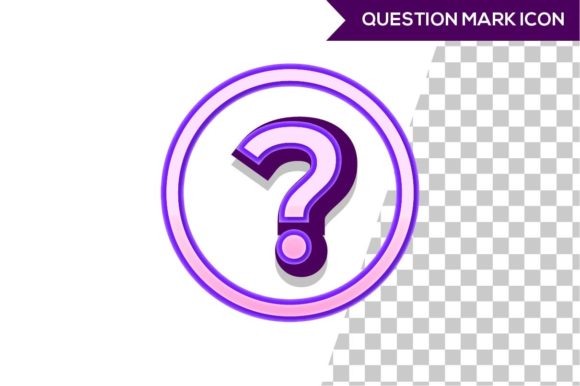
A 3D question icon is more than a letterform with a drop shadow. It is a carefully constructed object that simulates volume, material, and lighting. Designers use techniques like beveling, extrusion, gradient fills, and realistic or stylized shading to make the glyph appear as if it exists in physical space. The goal is to create a sense of tangibility—a visual cue that invites interaction.
Think of the question icon you see on a help button or FAQ section. A flat icon tells the user “click here for answers.” A 3D icon adds a layer of reassurance: it suggests the information is concrete, accessible, and perhaps even friendly. This psychological effect is subtle but measurable. Studies in visual cognition show that depth cues increase perceived affordance—the user’s sense that an element can be pressed or manipulated.
Modern 3D question icon design often leverages soft, rounded geometries to avoid harshness. Materials range from glossy glass to matte plastic, from metallic sheen to soft fabric-like textures. The choice depends on the overall brand language. A fintech app might use a polished chrome icon to convey security, while a wellness site might opt for a pastel plastic icon to feel approachable.
Why 3D Icons Are Relevant Now
The resurgence of three-dimensional design in user interfaces is driven by several converging forces. First, hardware capabilities have caught up with creative ambition. High-resolution screens, powerful GPUs, and efficient rendering techniques make it possible to display 3D graphics without lag. Even mobile devices handle complex shading and reflections smoothly.
Second, user expectations have evolved. After years of flat design—which prioritized simplicity and load speed—many users crave a sense of richness and tactility. Flat design remains functional, but it can feel clinical. Adding subtle depth to key icons, especially universal symbols like the question mark, reintroduces warmth without sacrificing usability.
Third, brands are differentiating themselves through micro-interactions. A 3D question icon that rotates slightly on hover or changes its lighting angle when the user scrolls creates a memorable moment. These small details build brand personality. For entrepreneurs and marketers, this is a practical way to stand out in crowded digital spaces without overhauling an entire interface.
Content creators and educators also benefit. In video thumbnails, presentation slides, or infographic headers, a 3D question mark can instantly signal “this is a helpful resource.” It acts as a visual anchor that draws the eye and cues the brain to seek answers.
The Evolution of the Question Mark Visual Language
To appreciate where 3D question icon design is headed, it helps to look at where it came from. The question mark itself has ancient roots, evolving from the Latin word quaestio abbreviated as “Qo.” For centuries, it was a purely typographic mark. The digital age turned it into a bitmap, then a vector, then a flat glyph in an icon set.
The first attempt at three-dimensional question marks came with skeuomorphic design in the early 2010s. Icons were rendered as realistic physical objects—leather stitching, glossy reflections, drop shadows that mimicked real light. But skeuomorphism fell out of favor for being visually heavy and inconsistent across platforms.
What we see now is a matured version. Contemporary 3D question icon design is neither hyper-realistic nor merely a flat shape with a gradient. It often uses isometric perspectives or soft depth gradients that suggest volume without heavy texture. This approach works across dark and light modes, scales well, and does not distract from content.
Another evolution is the use of animation. Static 3D icons are effective, but animated ones—such as a gentle pulse or a slight tilt—draw attention while feeling natural. Design tools like Spline, Cinema 4D, and Blender have made it easier for solo creators and small teams to produce these icons without needing a full 3D pipeline.
Practical Implications for Designers and Business Owners
Adopting 3D question icon design is not just an aesthetic choice; it comes with practical trade-offs. For UI designers, the main challenge is consistency. A single 3D icon among flat ones can look mismatched. The solution is to either commit to a hybrid style—where depth is applied only to interactive or informational elements—or to create a cohesive set of 3D icons for all functional symbols in the interface.
Performance is another consideration. While modern devices handle 3D well, including high-fidelity 3D icons in a web page can increase load time if not optimized. Using lightweight formats like SVG with CSS 3D transforms or compressed glTF models can keep file sizes small. For most applications, a well-designed 2D vector that simulates depth through gradients and shadows is sufficient and avoids performance hits.
From a business perspective, the question mark icon is often the gateway to customer support, documentation, or FAQs. Making it visually prominent through 3D design can reduce friction in the user journey. If a user needs help, a clearly distinct icon helps them find it faster. This could reduce support tickets and improve satisfaction. Freelancers and entrepreneurs who build their own websites can implement this without hiring a specialist—many icon libraries now offer pre-made 3D question icons in various styles.
Marketers can use 3D question icons in email newsletters, landing pages, and social media graphics to increase click-through rates. A/B tests often show that elements with depth and shading outperform flat ones in call-to-action buttons. While the difference may be small, it compounds over thousands of views.
Real-World Examples and Observations
Consider a startup’s website that uses a 3D question mark as a floating element next to the navigation. The icon is rendered in a soft glass material, with a subtle glow that matches the brand’s primary color. When the user clicks it, a chatbot window slides in. The icon feels like a physical entity inviting conversation, not just a link. This small design decision builds a friendly, helpful brand image from the first interaction.
Observe how education platforms use 3D question marks in quiz interfaces. Instead of a plain red circle with a “?”, they place a 3D question mark that wobbles slightly when a question is answered incorrectly. The humor and tactility reduce anxiety. Students report feeling less frustrated compared to a flat, stern icon. This is a practical application of emotional design through depth.
Another example: product packaging in augmented reality. Some brands include a QR code that opens a 3D question icon on the user’s phone, linking to a video about the product. The icon is designed to look like a physical badge attached to the package. This blends physical and digital experiences seamlessly.
These examples show that 3D question icon design is not limited to screens. It can appear in motion graphics, product mockups, and even as physical decals with optical illusions. The underlying principle remains: depth communicates readiness to help.
How to Get Started with 3D Question Icon Design
If you are a creator or designer looking to incorporate this trend, start with purpose. Ask yourself: Where will this icon live? What feeling should it convey? Who is the audience? A playful cartoon 3D question mark might suit a children’s app but undermine a legal service’s credibility. Match the material and lighting to your brand context.
For beginners, several no-code tools allow drag-and-drop creation of 3D icons. Online platforms like Vectary, Spline, and Adobe Firefly (for generative AI) let you create a base shape and adjust depth, rotation, and texture without learning complex software. You can also license high-quality 3D icon sets from marketplaces like Envato, Iconscout, or Creative Market. Look for sets that include multiple angles and color variations.
When integrating into a website or app, consider interactivity. Using CSS 3D transforms (like rotateY and perspective) can give a flat SVG icon a subtle 3D appearance on hover. For full 3D models, use libraries like Three.js or Lottie (for animated 3D-like vector files). Remember to provide alternative text for screen readers—the icon still needs to be accessible.
Test on various devices. A 3D icon that looks crisp on a desktop monitor might appear gaudy on a low-resolution phone screen. Optimize for contrast and clarity. Sometimes a simpler 3D effect (like a soft drop shadow and a gradient) performs better across platforms than a complex realistic render.
Balancing Innovation with Timeless Usability
3D question icon design is an example of how visual trends can enhance communication without replacing core usability. The question mark’s primary job is to signify inquiry. Adding depth should not obscure that meaning. Avoid overly abstract interpretations—a 3D shape that barely resembles a question mark will confuse users.
Similarly, keep accessibility in mind. Users with visual impairments may rely on high-contrast modes or screen readers. A 3D icon that relies solely on color or shading to convey its shape might fail under certain contrast settings. Use adequate outlines or ensure the icon remains distinct when color is removed.
Finally, think about longevity. Trend-driven design can date quickly. If you invest in a highly stylized 3D question icon with a specific material (e.g., frosted glass with neon accents), you may need to update it in a year or two. A more subdued approach—using soft gradients, subtle bevels, and a neutral palette—will remain relevant longer. You can always add seasonal variations without rebuilding from scratch.
What the Future Holds (Realistically)
Looking ahead, 3D question icon design will likely become more interactive and responsive. With wider adoption of WebGPU and improved browser capabilities, real-time 3D on websites will be common. Icons may change shape based on user behavior—swelling when someone hovers, shrinking when a question is answered. They could also react to voice commands: a question mark that lifts slightly when a user says “help.”
However, these possibilities are still emerging. For most professionals today, the practical value lies in using existing tools to create a single, well-crafted 3D icon that communicates clarity and approachability. That is a low-effort, high-impact move. Whether you are a blogger adding a visual hook to a guide, a marketer increasing engagement on a FAQ page, or a designer refining a mobile app, the 3D question icon is a small but powerful tool.
By grounding your choices in user needs and brand consistency, you can leverage this trend without chasing novelty. The best 3D question icon is one that someone barely notices as a technology—but immediately recognizes as an invitation to learn.