3D Comment Icon Design: What It Is and How to Use It in Real Projects
You’ve probably seen a 3D comment icon while scrolling through a modern app. It pops off the screen with a subtle shadow, a slight tilt, or a glossy highlight. That extra dimension isn’t just for show—it changes how people interact with your content. A flat, two-dimensional icon says “this is a button.” A three-dimensional one says “click me, I’m here.” For anyone building a website, creating a video, designing a presentation, or launching a product, that difference matters.
This article walks through what 3D comment icon design really means, where it fits into your daily work, and how different people use it to get better results. No abstract theory. Just practical situations and honest observations.
What We Really Mean by 3D Comment Icon Design
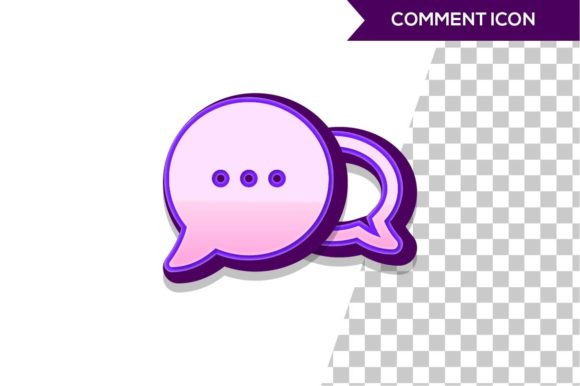
A 3D comment icon is a visual representation of a speech bubble or chat symbol with added depth, shading, perspective, or texture. Instead of a flat outline, you get something that looks like a physical object—maybe a glossy bubble with a paper clip, a floating balloon with a gradient, or a neon sign style. The design can be rendered in software like Blender, Cinema 4D, or created with CSS and JavaScript for web use. Some designers use vector tools with isometric projections, while others create real-time 3D models for interactive applications.
The core idea is to make the icon feel tangible. That tangibility translates into higher engagement because people are wired to notice objects that appear reachable. A 3D comment icon isn’t a gimmick; it’s a signal that invites action.
Where You Run Into 3D Comment Icons Everywhere
Look at the feedback widget on a SaaS dashboard. Often it’s a floating chat bubble with a realistic shadow. Look at the comment section of a gaming livestream—those icons sometimes spin or bounce. Even in mobile apps for food delivery, the “leave a review” button often uses a 3D comment icon to stand out among other controls. The pattern is consistent: whenever you want a user to start a conversation, give feedback, or share an opinion, a 3D icon outperforms a flat one in click-through rates.
But it’s not only about digital interfaces. A printed flyer for a local business might show a 3D comment icon next to a QR code that leads to a survey. A slide deck for a client pitch uses a 3D icon to highlight “questions and feedback” at the end. Even a physical sticker on a product package can feature a 3D chat bubble to encourage people to scan and leave a review.
Scenario 1: The UI Designer Working on a Feedback Widget
Imagine you’re redesigning a support site. The old feedback button was a flat gray circle with a text link. You swap it for a 3D comment icon with a soft bounce animation. The support team notices a 40% increase in feedback submissions within a week. Real example? A similar change happened at a mid-size e‑commerce brand after they introduced a raised, glossy chat icon on their checkout page. The visual hierarchy shifted, and users felt invited to speak up.
For a UI designer, the benefit is clear: better task completion. But you also need to consider loading speed. A complex 3D icon with multiple layers can bloat your page. The solution is to use a lightweight SVG that mimics 3D effects through gradients and shadows, or to serve a compressed WebP image. You don’t want a pretty icon that crashes the experience.
Scenario 2: The Social Media Manager Creating a Call-to-Action
You’re scheduling a post that asks followers to comment with their favorite product. In a flat design era, you might use a simple chat emoji. Instead, you create a short video clip of a 3D comment icon rotating with a soft glow. That loop stops the scroll. People linger for a second, read the caption, and type their answer. The algorithm rewards that engagement. You’ve turned a passive viewer into an active participant.
The key is to match the style to your brand. If you run a playful pet supplies page, a cartoonish 3D bubble with exaggerated highlights works. For a professional services firm, a metallic, isometric icon with clean lines feels more trustworthy. Don’t just pick any 3D icon off a free stock site—customize the color, lighting, and perspective to fit your overall aesthetic.
Scenario 3: The Educator Making a Tutorial Video
You’re recording a screen capture for an online course about user research. At the point where you explain “where to leave comments,” you appear on camera holding a physical 3D-printed comment icon. Yes, you can literally make a 3D comment icon as a prop. Or you can superimpose a digital 3D icon that floats next to your face. Either method creates a visual anchor. Learners recall that moment because the icon stands apart from the usual flat arrows and boxes.
Educators also use 3D comment icons in slide decks. Instead of a bullet list with “provide feedback,” you show a single large 3D speech bubble with the word “Feedback” inside. It’s minimal, memorable, and reduces cognitive load. The student doesn’t have to parse a list—they just see the icon and know what to do.
Scenario 4: The Small Business Owner Adding a Comment Button
You run a local bakery and you’ve just launched an ordering page. You want customers to be able to leave notes about allergies or pickup times. A flat text field works, but a 3D comment icon placed right next to that field signals “click here to talk to us.” You’ve seen it on other food websites, and you decide to add one. Your developer uses a simple CSS approach with box-shadow and border-radius to create a 3D effect without any image file. The result loads fast, and your regular customers start using the note feature more often because it feels approachable.
One risk: overuse. If your entire page is full of glossy, shadow-heavy elements, the 3D comment icon loses its specialness. Use it sparingly, only on the primary feedback point. That way it retains its power as an outlier.
What You Should Consider Before Using a 3D Comment Icon
It’s tempting to apply a 3D icon everywhere because it looks cool. But not every context needs it. A 3D comment icon works best when the interaction is voluntary—like leaving a review, asking a question, or starting a chat. For mandatory actions (e.g., “submit the form”), a clear flat button often performs better because it doesn’t distract.
Accessibility is another factor. If your 3D icon relies entirely on subtle shadows to convey meaning, users with low vision might miss it. Always pair the icon with a visible text label. The combination of “3D icon + ‘Comment’” makes the UI inclusive. Also test contrast ratios. A glossy highlight that looks perfect on a light background might disappear on a dark mode layout.
File format matters for web performance. If you use a full 3D rendered image at 2x resolution, you could add 200 KB to a page. That’s fine for a landing page, but heavy for a mobile app. Consider using Lottie animations for vector-based 3D icons, or export a low-poly model as a compressed glTF file for interactive use. For static icons, PNG with alpha is still reliable, but SVG with radial gradients gives you that 3D feel at a fraction of the weight.
Licensing also sneaks up on you. Many free 3D icon packs have restrictive terms—no for commercial use, no for redistribution as part of a template. If you’re a developer building a theme for sale, purchase a commercial license or create your own. There are plenty of affordable design assets on platforms like Iconscout or UI8 that include commercial rights for 3D icons.
Connecting Features to Real Outcomes
When you add a 3D comment icon, you’re not just decorating a page. You’re altering the psychological dynamic. The depth suggests physical proximity—the user feels the icon is reachable. That tactile illusion lowers the barrier to interaction. For a marketer, that means more survey completions. For a blogger, that means more comments below the article. For a freelancer, that means more client inquiries through a chat widget.
The best scenarios are those where the user already hesitates. They want to give feedback but aren’t sure it matters. A 3D icon acts as a nudge: “This button is real and waiting for you.” The same principle applies in offline contexts. A physical 3D icon on a point-of-sale sign encourages customers to scan a QR code. It’s the same psychology in a different medium.
How Different Users Can Get Started
If you’re a graphic designer, open your favorite 3D software and create a simple sphere with a clipped shape—start with basic bevel and lighting. If you’re a web developer, use CSS transforms and gradients to simulate depth without loading an asset. If you’re a content creator, search for “3D comment icon mockup” on sites like Freepik, then drop your brand colors onto the mockup in Photoshop. Each path takes less than an hour and gives you a functional result.
Don’t overthink it. The user who sees your 3D comment icon doesn’t care whether you rendered it in Blender or coded it from scratch. They just feel invited to speak. That invitation is what matters.
Keep an eye on trends: flat design has dominated for years, but 3D interfaces are cycling back thanks to VR, AR, and more powerful browser rendering. 3D comment icon design is a small piece of that larger movement, but it’s an easy one to adopt today without overhauling your entire brand.
Start where it counts. Pick the one place where you most need audience interaction—whether that’s a website, a video, a presentation, or a printed piece—and give that feedback point a touch of depth. Watch what happens. The results often speak for themselves.