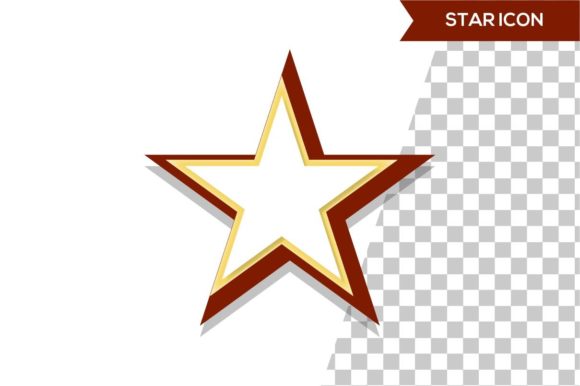
3D Star Icon Design
When you encounter a star icon in a user interface, branding material, or product packaging, you are typically looking at a symbol that has been reduced to its simplest two-dimensional form. 3D star icon design takes that familiar shape and adds depth, volume, lighting, and spatial presence, transforming a flat graphic into something that feels tangible. This approach is not merely about adding a shadow or a gradient; it involves constructing a star as a volumetric object that occupies space, catches virtual light, and responds to its environment. For anyone evaluating visual assets for a project, understanding what this design direction entails—and when it makes sense to use it—is essential for making an informed decision.
What Defines a 3D Star Icon
A 3D star icon is a digital rendering of a star shape that simulates three-dimensional properties. Unlike its flat counterpart, which relies on outline or solid fill, a 3D version incorporates geometric depth (extrusion), surface materials (glossy, matte, metallic, or translucent), and lighting effects (highlights, shadows, and reflections). The design can range from a simple beveled star with a soft drop shadow to a fully detailed model with beveled edges, textured facets, and environmental reflections. The common thread is the illusion of physical form: the star appears to exist in a space with height, width, and depth.
Designers achieve this effect using 3D modeling software such as Blender, Cinema 4D, or Adobe Substance 3D, or through layered styling in vector tools that simulate depth. The result is an icon that feels more substantial and, in many contexts, more premium than a flat alternative. However, that sense of substance comes with tradeoffs that matter to anyone selecting icons for a website, app, presentation, or brand identity.
Why People Consider 3D Star Icon Design
Interest in 3D star icons typically emerges from a need to communicate quality, achievement, or recognition with greater visual impact. Stars are already loaded with meaning—excellence, ratings, awards, guidance—and adding a third dimension can amplify that symbolism. A 3D star may appear more prestigious on a certification badge, more engaging as a rating indicator in a premium app, or more memorable as a logo element for a company that wants to project innovation.
Another driver is the broader trend toward three-dimensional design in digital interfaces. Operating systems, marketing materials, and product showcases have increasingly adopted 3D elements to create a sense of realism and immersion. A flat star can feel dated in an environment where buttons, cards, and illustrations have depth. Therefore, adopting 3D star icon design can help visual assets remain contemporary and consistent with modern design language.
Additionally, many projects require differentiation. A 3D star can stand out in a sea of flat icons, whether in an app store preview, a hero section of a landing page, or a physical product packaging mockup. For designers and product managers evaluating icon sets, the distinctiveness of a 3D approach is often a key consideration.
Benefits of Using 3D Star Icons
The most immediate benefit is visual impact. A well-rendered 3D star draws attention because the human eye is naturally attracted to depth, contrast, and realistic lighting. This can be especially valuable in contexts where you need to guide the user's focus—such as a call-to-action button that uses a star icon to denote a featured offer.
Perceived quality also tends to increase with dimensionality. A 3D star icon often looks more crafted and deliberate than a flat one. In branding, this can translate to a sense of trust and professionalism. For rating systems in e-commerce or hospitality, a metallic or glowing 3D star can subtly suggest a higher standard than a simple outlined star.
Moreover, 3D icons offer greater flexibility in storytelling. You can animate a 3D star to rotate, pulse, or reflect light in ways that are not possible with flat graphics. This makes them suitable for video introductions, interactive web elements, and motion-heavy interfaces where the icon is not just a static marker but an active part of the user experience.
Tradeoffs and Considerations
Despite these advantages, 3D star icon design comes with practical tradeoffs that should not be overlooked. The first is file size and performance. A 3D icon rendered as a raster image (PNG, JPEG) or as an animated sequence will typically be larger than a flat SVG. In web and mobile contexts, this can affect loading times and responsiveness, particularly on slower connections or older devices. If your project prioritizes speed and lightweight design, 3D icons may not be the optimal choice.
Another consideration is scalability. A flat vector icon can be resized infinitely without losing quality. A 3D icon, when rendered at very small sizes, can lose its detail and become muddy or illegible. If you need a star icon to function across a wide range of display sizes—from a tiny favicon to a large hero image—you may need to maintain multiple renderings or accept that the 3D effect will be less effective at the smallest scale.
Consistency with adjacent design elements also matters. A 3D star icon placed next to flat icons will look mismatched. If your entire interface uses flat design, introducing a single 3D element can create visual dissonance. Conversely, if your interface uses 3D elements throughout, a flat star may feel out of place. The choice must be made in the context of the broader visual system, not in isolation.
Production time and cost are additional factors. Creating a custom 3D star icon requires more skill and time than creating a flat one. If you are working with an existing icon set, 3D options are less common and may need to be custom-commissioned. For teams on tight budgets or timelines, the added investment may not justify the return, especially if the icon plays a secondary role in the design.
When 3D Star Icon Design Is a Strong Fit
Certain scenarios clearly favor three-dimensional star icons. If you are designing a high-end product badge, such as a "Top Rated" or "Editor's Choice" seal on a premium e-commerce site, a 3D star can convey exclusivity and trust more effectively than a flat one. Likewise, in gaming interfaces where achievement stars are used to unlock rewards or signify progress, a 3D star with metallic or glowing properties can enhance the feeling of accomplishment.
Applications that rely on visual hierarchy also benefit. In a dashboard or analytics tool, a 3D star icon could draw attention to a key metric or a recommended action. The depth acts as a visual anchor, helping users navigate information-dense screens. Similarly, in educational or children's apps where engagement is paramount, a lively 3D star can make the interface feel more playful and inviting.
Branding projects that emphasize craftsmanship, luxury, or technology are another strong fit. A fintech company, a premium hospitality brand, or a creative studio might use a 3D star in their logo or app icon to signal attention to detail and innovation. In these cases, the investment in quality rendering is aligned with the brand's positioning.
When Alternatives May Be Worth Considering
Flat icon design remains a strong alternative in many situations. If your project requires a clean, minimalist aesthetic—common in modern web design, productivity tools, and corporate communications—a flat star icon is often more appropriate. Flat icons load faster, scale perfectly, and maintain clarity at any size. They are also easier to iterate on and to match across a large icon set.
For projects with tight performance budgets, such as mobile apps targeting low-end devices or websites with heavy content, flat icons reduce the risk of performance degradation. Similarly, if you need an icon that can be easily customized by developers using CSS or SVG attributes, flat design offers that flexibility in ways that pre-rendered 3D assets do not.
Another alternative is the use of simple 2.5D isometric styles, which offer a middle ground. An isometric star icon can suggest depth without requiring full 3D rendering. This approach provides some dimensionality while retaining lightweight vector properties. It can be a pragmatic compromise when you want a bit of depth but cannot commit to the production overhead of full 3D.
Finally, if the star icon is used primarily as a functional UI element—such as a bookmark button, a rating input, or a filter toggle—flat design typically performs better because it communicates state changes (filled, outlined, hovered) more clearly. Users have well-established mental models for how flat icons behave, and adding 3D effects can introduce ambiguity or slow down recognition.
Practical Decision-Making Insights
To determine whether 3D star icon design aligns with your goals, start by clarifying the icon's role in your project. Is it decorative or functional? Will it appear at a consistent size or across a range of sizes? Does it need to match an existing set of icons, or are you building a new visual system from scratch?
Next, consider your audience and context. A 3D star may resonate strongly with a design-savvy or younger audience, but it could appear overproduced to a more conservative or task-oriented user group. User testing or A/B comparison can reveal whether the added dimensionality improves engagement or simply adds visual noise.
Evaluate your technical constraints. If your platform allows for efficient delivery of optimized 3D assets (such as compressed WebP or lightweight 3D models via WebGL), the performance barrier is lower. If you are constrained to standard PNG or SVG formats, the tradeoff may be steeper. Always test load times and rendering quality on target devices before committing.
Finally, think about longevity. Design trends evolve, and the current prevalence of 3D elements may shift. A flat icon is more likely to remain relevant over a longer period, while a highly stylized 3D icon may need to be updated sooner. If you are designing for a long-term brand or product, choose a level of dimensionality that feels timeless rather than trendy.
Determining Alignment with Your Needs
3D star icon design is not a universal improvement over flat design; it is a specific tool for specific contexts. It excels when you need visual weight, perceived value, and differentiation, and when you have the time, budget, and technical environment to support it. It struggles when performance, scalability, and consistency with flat elements are paramount.
Start by defining the job the icon needs to do. If that job is to be noticed and remembered, 3D is worth exploring. If that job is to be recognized instantly and used repeatedly across many contexts, flat is often the safer and more practical choice. In many projects, the best solution is not a single approach but a hybrid: a main 3D hero icon for key moments, supported by flat or simplified versions for secondary use. This layered strategy allows you to capture the benefits of depth without incurring the costs everywhere.
By weighing these factors deliberately, you can decide whether 3D star icon design serves your project's real needs—or whether a simpler star will shine just as brightly.