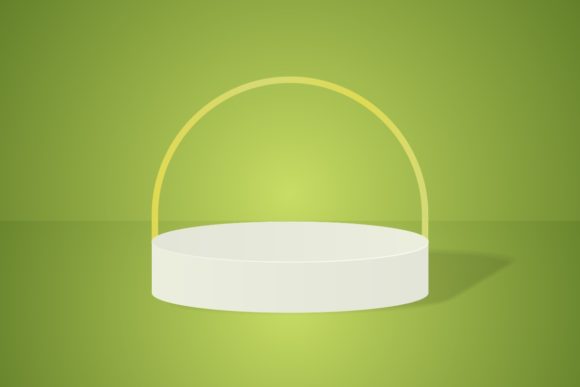
3D Podium Mockup Design: A Practical Guide for Product Presentation
Presenting a product well often matters as much as the product itself. Whether you are launching a new brand, updating your portfolio, or pitching to a client, the way you frame your work shapes how it is received. 3D podium mockup design has become a go-to method for showcasing products in a clean, professional, and visually compelling way. It strips away distractions and places your item in a controlled environment where lighting, angle, and context work in your favor.
This is not about flashy renders or overproduced visuals. It is about creating a presentation that communicates clarity, polish, and intention. When used correctly, a 3D podium mockup design becomes a reliable asset in your workflow, whether you are a freelancer preparing a client deck, a small business owner building an e-commerce store, or a marketer crafting social media content.
What 3D Podium Mockup Design Actually Does
At its core, a 3D podium mockup design places a product on a raised platform inside a three-dimensional scene. The podium focuses attention on the item itself, while the surrounding environment adds depth and atmosphere. The result is a presentation that feels both professional and approachable.
Unlike flat product shots, a 3D podium mockup design allows you to control multiple variables. You can adjust the lighting to create mood, change the background to match brand colors, and rotate the product to show different angles. This flexibility means you can produce a consistent look across an entire product line without reshooting or recreating scenes from scratch.
For professionals who work with digital assets regularly, this approach saves time and reduces friction. Instead of staging physical photos or relying on inconsistent lighting conditions, you work within a repeatable system. Once you set up a 3D podium mockup design that fits your style, you can reuse it across projects, adapting only the product and minor details.
Where It Fits in Your Workflow
The real value of a 3D podium mockup design becomes clear when you consider where it fits into a broader process. It is not a standalone technique. It works best when integrated into a sequence of decisions and tasks.
Before a Project: Planning and Pitching
If you are preparing a proposal or pitching a concept to a client, a 3D podium mockup design gives you a tangible way to show what the final product will look like. Instead of describing your vision with words or rough sketches, you present a rendered scene that communicates scale, material, and presence. This early-stage mockup helps align expectations and reduces back-and-forth later in the project.
Entrepreneurs and small business owners can use this approach when evaluating new product ideas. By mocking up a concept on a podium, you can gauge visual appeal before investing in production. It is a low-cost way to test how a product might look in a real selling environment.
During Production: Quality Control and Consistency
As you move into production, a 3D podium mockup design becomes a reference point. You can compare real-world samples against the mockup to check for color accuracy, proportion, and overall aesthetic. This is especially useful when working with manufacturers or suppliers who need clear visual guidelines.
For digital product creators, the mockup serves as a template. You can render multiple variations of a design, such as different colorways or label options, without recreating the scene each time. This speeds up iteration and ensures every variant shares the same visual standard.
After Completion: Marketing and Portfolio Use
Once a product is finished, the mockup moves into your marketing materials. A 3D podium mockup design works well on e-commerce product pages, social media posts, email campaigns, and print catalogs. Because the podium creates a consistent framing, you can present a cohesive brand story across different channels.
Freelancers and designers can use these mockups in their portfolios to demonstrate their range. By showing multiple products on similar podiums, you communicate that you understand how to present work in a professional context. This builds trust with potential clients who want to see polished, ready-to-use visuals.
Integration with Other Tools and Resources
A 3D podium mockup design does not exist in isolation. It interacts with other parts of your workflow in practical ways.
Design Software and Asset Libraries
Most 3D podium mockup designs are created in software like Blender, Cinema 4D, or Adobe Dimension. These tools allow you to import product models, adjust materials, and set up lighting. If you work with a team, shared asset libraries become valuable. You can store podium templates, textures, and lighting presets so everyone produces consistent visuals.
When you integrate your mockup workflow with a digital asset management system, you save time. Instead of searching for files each time, you pull from a centralized library of podiums, backgrounds, and product models. This keeps your process organized and repeatable.
Brand Guidelines and Style Guides
Your 3D podium mockup design should reflect your brand identity. The podium color, background gradient, lighting temperature, and shadow softness all contribute to how your brand feels. By aligning these elements with your brand guidelines, you create a visual language that carries through every presentation.
Marketers and educators who produce content regularly can benefit from this consistency. When every product shot shares the same podium setup, your audience starts to recognize your brand instantly. This subtle branding builds familiarity without needing logos or text overlays in every image.
Collaboration and Feedback Loops
When multiple people are involved in a project, a 3D podium mockup design becomes a shared reference. Designers, copywriters, and product managers can all look at the same rendered scene and discuss adjustments. This reduces miscommunication and speeds up approvals.
Using a version control system or cloud storage for your mockup files ensures that everyone works from the latest version. If you update a texture or adjust a lighting angle, the team can see the change immediately. This is especially useful for remote teams who cannot rely on in-person reviews.
Practical Implementation Tips
Getting the most out of a 3D podium mockup design requires attention to a few key areas. These tips come from real use, not theory.
Start with a Clean Template
Build a base podium scene that you can reuse. Choose neutral materials and soft lighting that work with a wide range of products. Save this as a template file. When you need a new mockup, duplicate the template and drop in your product model. This approach saves hours of setup time.
If you work with multiple products that vary in size, prepare a few podium templates at different scales. A small cosmetic bottle needs a different podium proportion than a large electronic device. Having options ready means you never have to rebuild from scratch.
Pay Attention to Lighting
Lighting is the most important factor in a convincing mockup. Use soft, diffused light to avoid harsh shadows. Place a key light at a 45-degree angle above the podium and add a fill light from the opposite side to reduce contrast. A subtle rim light from behind can separate the product from the background.
Test your lighting with a simple sphere or cube before rendering your actual product. This helps you see how the light behaves without waiting for complex renders. Once you are satisfied, swap in your product model.
Use Realistic Materials
Your product model should use materials that reflect real-world properties. If the product is matte plastic, make sure the roughness and specular values match. If it is glass or metal, adjust the reflectivity and transparency accordingly. A mismatch between the podium and the product materials breaks the illusion.
When you are unsure about a material, reference a physical sample or a high-quality photograph. Compare your render to the reference and adjust until the look is convincing. This attention to detail makes your 3D podium mockup design feel professional.
Keep Angles Simple
While it is tempting to show dramatic camera angles, straightforward perspectives often work better. A three-quarter view slightly above the product gives the viewer a clear sense of shape and depth. Front and side views are useful for technical presentations.
If you need to show multiple angles, create a series of renders from consistent positions. This allows the viewer to understand the product fully without confusion. You can then use these renders in a gallery or slider on your website.
Preparation and Organization for Long-Term Use
To make 3D podium mockup design a sustainable part of your workflow, you need to organize your assets and processes.
Name Files Clearly
Use descriptive file names that include the product name, version, and date. Avoid generic names like "final_render_v3.jpg." A name like "speaker_black_frontview_20250501.png" tells you everything you need to know at a glance. This becomes critical when you manage dozens or hundreds of renders.
Maintain a Master Scene File
Keep your master scene file separate from your renders. The master file contains your podium, lighting, camera positions, and any reusable elements. When you render a product, save the render output in a different folder. This way, you never accidentally overwrite your setup.
If you use a software that supports layers or groups, label everything clearly. Name your podium group, your lights, and your cameras. When you return to the file months later, you will appreciate the organization.
Version Your Templates
As your skills improve or your brand evolves, update your podium templates. Save each version with a number or date. If a client prefers an older style, you can still access it. Versioning also lets you track what changed and why, which is useful if you collaborate with others.
Consistency and Quality Control
One of the biggest advantages of a 3D podium mockup design is consistency. When every product in your portfolio or catalog sits on the same podium with the same lighting, the collection feels cohesive. This visual harmony builds trust with your audience.
To maintain quality, set render standards for yourself or your team. Define minimum resolution, color space, and file format. If you are delivering mockups to a client, specify whether they are for web or print. A 300 DPI render for print looks very different from a 72 DPI web image.
Check each render for artifacts, noise, or color shifts. Render engines vary in quality, and even good settings can produce occasional errors. A quick review before you share saves you from having to redo work later.
Observations on Long-Term Use
Over time, a well-maintained 3D podium mockup design system becomes one of the most efficient tools in your workflow. It reduces the time spent on each new presentation, ensures brand consistency, and gives you a professional edge. The upfront investment in building templates and organizing assets pays off quickly as you reuse them across projects.
For educators and bloggers, these mockups make tutorials and articles more engaging. Instead of describing a product in text, you show it in a clean, realistic setting. This visual aid helps readers understand your points faster and keeps them on the page longer.
Entrepreneurs and small business owners who sell products online can use podium mockups to create a unified storefront. When every product image follows the same format, the store looks curated and trustworthy. Shoppers are more likely to buy from a site that presents its products consistently.
Ultimately, 3D podium mockup design is not about fancy visuals. It is about giving your product the best possible context for appreciation. When you integrate it thoughtfully into your process, it becomes a tool that supports your goals rather than a task that takes time away from them. Whether you are a seasoned designer or just starting to build your visual toolkit, this approach offers a reliable path to clearer, more effective product presentation.